Try ShortPoint now
TL;DR: This page gathers ShortPoint’s guides to ShortPoint Generator, the tool for building custom Design Elements and footers that you can reuse across SharePoint. Start with the introduction and the overview of Generator’s best features. Then follow the guides to create a custom element or footer and add it to your pages or site. Other guides show how to update them everywhere at once, add editable fields and editable layout containers, and remove the ones you no longer need.
ShortPoint Generator is one of the most powerful tools in ShortPoint, allowing you to create custom elements or footers and add them to your SharePoint sites.
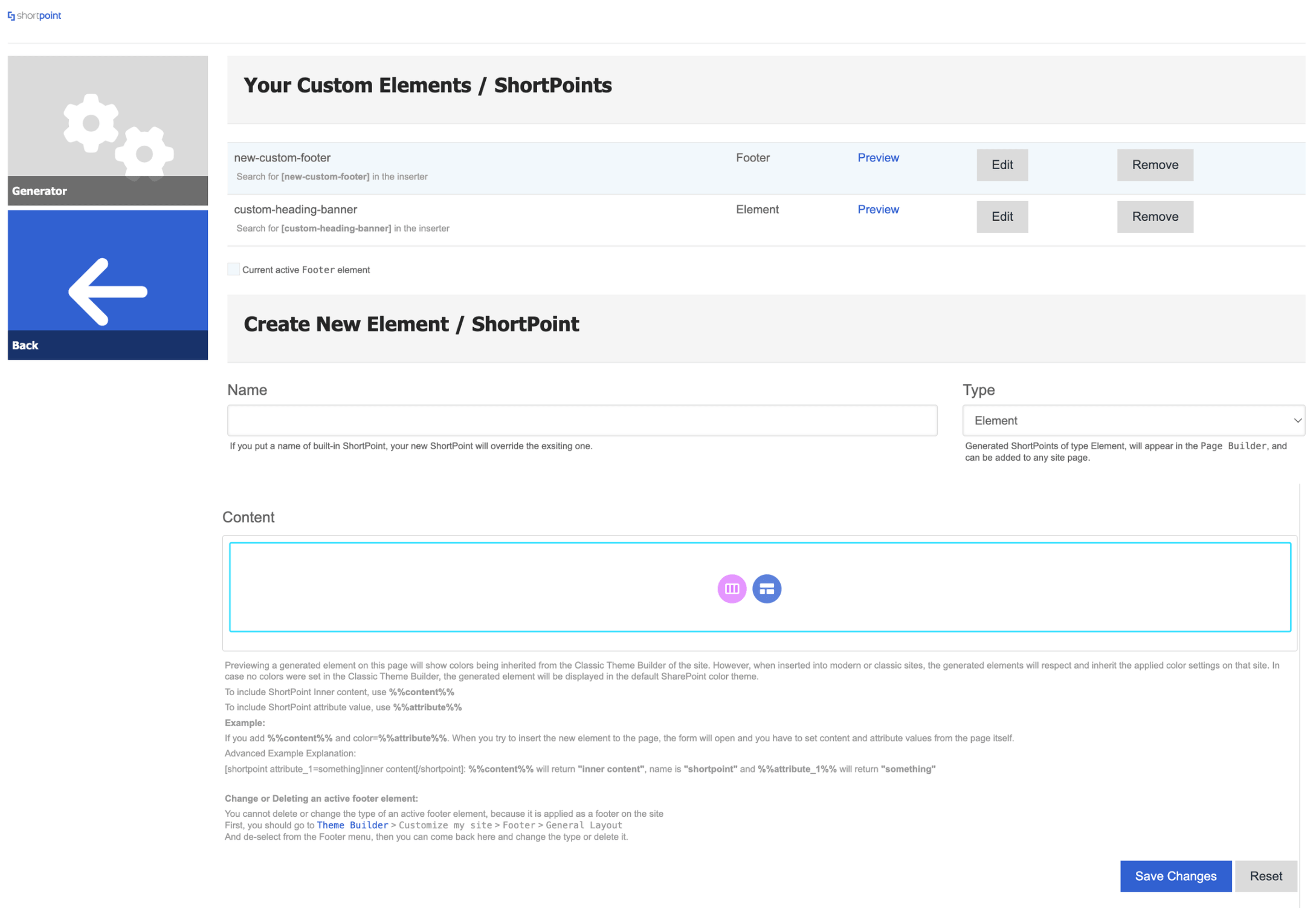
Listed below are the resources you'll need to help you make the most out of the Generator feature. Let's get started!
TABLE OF CONTENTS
- Introduction to ShortPoint Generator
- Creating Custom Design Elements/Footers
- Adding Custom Design Elements/Footers to SharePoint Sites
- Updating and Customizing Custom Elements/Footers
- Removing Custom Design Elements/Footers
Introduction to ShortPoint Generator
Get to know the basics of ShortPoint Generator, including what it is, why it's useful, and what features are available.
- Unlock Reusable Design in SharePoint: Introduction to ShortPoint Generator
- ShortPoint Generator: An Overview of Best Features
Creating Custom Design Elements/Footers
Learn how to create custom design elements/footers with our easy-to-follow tutorials:
- For Custom Design Elements: ShortPoint Generator: How to Create Custom Design Elements
- For Custom Footer: How to Create a Custom SharePoint Footer Using ShortPoint Generator
Adding Custom Design Elements/Footers to SharePoint Sites
Ready to add your custom design elements/footers to your SharePoint sites? Go through the articles below to learn how:
- For Custom Design Elements: ShortPoint Generator: How to Add Custom Design Elements to a SharePoint Page
- For Custom Footer: How to Add Custom Footers to SharePoint Sites Using ShortPoint Theme Builder
Updating and Customizing Custom Elements/Footers
Go through these articles to learn how to update and modify custom elements and footers:
- ShortPoint Generator: How to Update Custom Design Elements or Footers
- ShortPoint Generator: How to Create Editable Fields for Custom Design Elements
- How to Create Editable Layout Containers Using ShortPoint Generator
Removing Custom Design Elements/Footers
Don't need your custom design elements/footers anymore? Learn how to remove them from your pages in the article below: