 Try ShortPoint now
You already know ShortPoint makes building SharePoint intranets fast, but we're taking it to a whole new level.
How? With ShortPoint AI Designer! It changes the game entirely. Simply describe what you want and watch it come to life, instantly. It brings powerful AI functionality that not only streamlines content creation but also builds stunning pages effortlessly. Let's dive into the features that truly make ShortPoint AI Designer the future of intranet design.
NOTEWant to learn how it works? Check out How to Use the ShortPoint AI Designer.
Tell It, Show It, Paste It: Choose The Way You Work
One of the first things you'll notice about ShortPoint AI Designer is how flexible it is when it comes to how you interact with it. You're not stuck with one way of working. You can choose the way that feels most natural to you:
- Text prompts - Just type out what you want in plain language. Super simple! "Create a hero section with a welcome message and 3 quick link cards" is all it takes. Learn More
- Voice input - Or you could just talk to it. You can literally say out loud your design ideas and let the AI agent do the heavy lifting. Learn More
- Image attachments - Got a design reference image? Attach it, and the AI will pick up visual cues from it to enhance your intranet. Learn More
- Copy and paste - Need more options? Well, just grab an image from anywhere and paste it into the prompt area. Easy as can be. Learn More
- Select and Edit - Have an existing design? You can select any element in your page and ask ShortPoint AI Designer to modify it. Learn More
TIPNeed help writing prompts? Check out How to Write Effective Prompts or take a look at our Prompt Library for a list of ready-to-use prompts.
This multi-faceted approach lets you work with the AI in the same way as you'd brief a designer: using words, visuals, or a bit of both. This provides quick access and multiple entry points to create stunning SharePoint sites.
Start with a ShortPoint Template, Then Make It Yours
Already love the 100+ ready-made templates ShortPoint has? We have even better news! You can take them to a whole new level with the ShortPoint AI Designer.
You can now load any existing ShortPoint Template and use the AI Designer to remix, refine, and personalize it to fit your exact needs. Just imagine: you get the structure and polish of a professionally designed template, combined with the flexibility and speed of AI-powered customization. Now, that's what we call the best of worlds.
This feature is especially useful for teams that want a head start without sacrificing personality. ShortPoint Templates give you a proven foundation, and with the AI Designer, you get to make it feel like it was built specifically for your organization, ensuring consistent branding and seamless content creation.
Your Brand, Your Rules Done Automatically
Now, here's where things get really exciting for companies with brand guidelines in place: ShortPoint AI Designer reads straight from your Theme Builder settings. Why? So it can automatically apply your colours, typography, and visual identity before you even type a single word.
| Theme | Page Design |
|---|---|
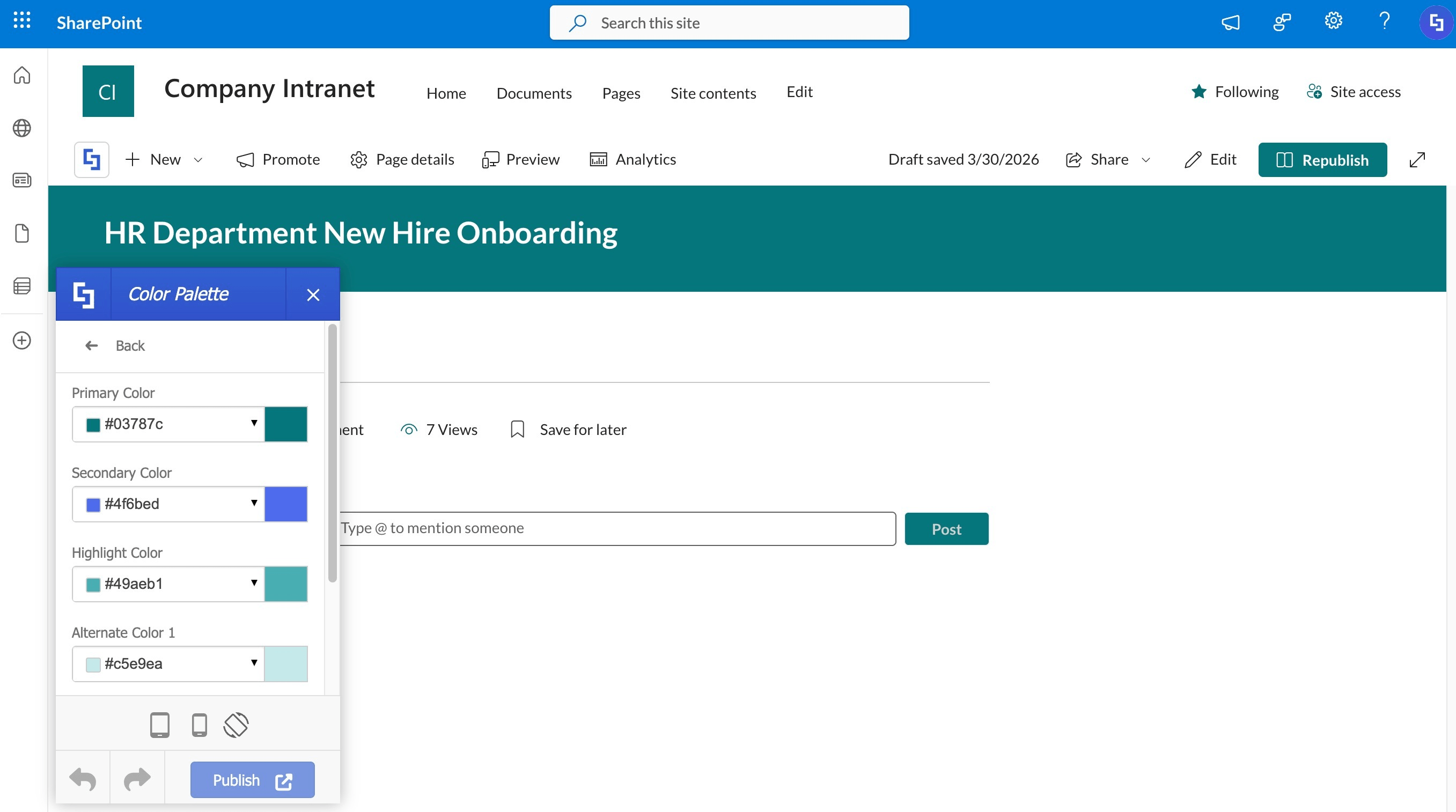 | 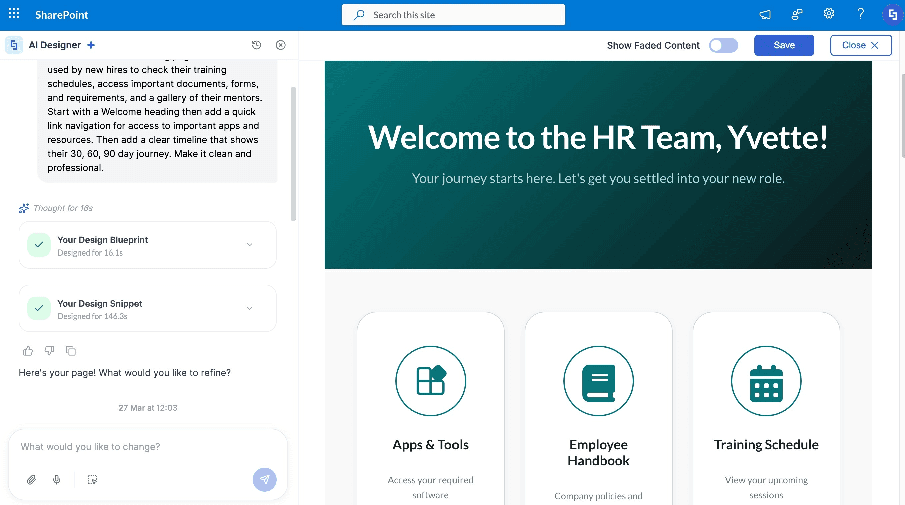 |
Just imagine how big a time-saver this is for enterprise teams and internal communications professionals.
Dynamic Content Made Simple
Static intranet pages are a thing of the past. With ShortPoint Connect integrated into ShortPoint AI Designer, you'll be able to pull data from your organization's internal and external sources (including Microsoft Graph API and REST APIs) and generate pages that reflect real, up-to-date information.
Imagine an AI-powered employee directory that pulls from your HR system, a news feed that surfaces content from your CMS, or a dynamic dashboard that displays live KPIs. You don't just get an intranet that's pretty to look at. You get one that actually matters to your team, delivering relevant content and supporting better collaboration and decision making. Learn More
NOTECurrently, you can only use the Microsoft Graph API and REST API connection when interacting with the ShortPoint AI Designer.
Interactive by Default with the ShortPoint Search & Filter Toolbar
A nice-looking SharePoint intranet is just the starting point; what really matters is how people use it. That's why the ShortPoint AI Designer comes with built-in smart interactivity powered by our Search & Filter Toolbar.
Pages generated with this AI-powered tool can include features like:
- Search - so your users can find what they need quickly with context-aware results
- Filter and Sort - for keeping content-heavy pages tidy and improving productivity
- Pagination - to keep long lists of documents and files from getting out of hand
- Tabs - for breaking up content into neat, easy-to-browse chunks
- Date filtering - perfect for organizing events or date-related content with dynamic controls.
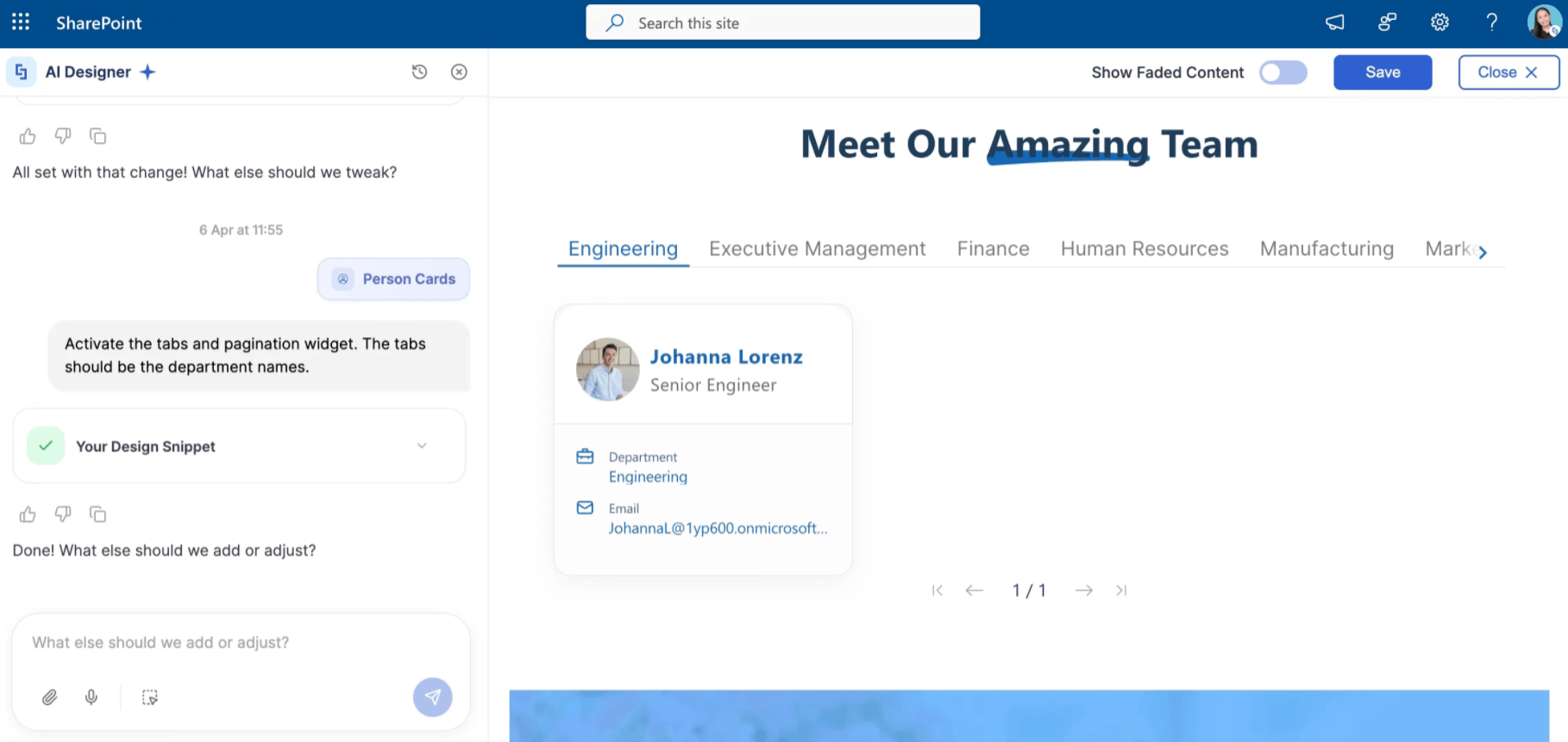
These aren't afterthoughts. They're baked right in to make your AI-generated pages genuinely useful from day one. It provides a seamless user experience that supports better content management and decision-making.
A Design Partner That Remembers
Working with artificial intelligence tools can be a bit of a challenge at times. Especially when you have to start over from scratch every time you use it. ShortPoint AI Designer fixes that.
Our platform supports multi-turn conversations, which means that the AI Designer remembers what you were talking about across all the prompts you have. You can say "make the header bolder" after a generation, and it knows exactly what you're referring to. Even better:
- Version history - Every generation is saved, so you can browse, preview, and revert to any previous design at any time. Learn More
- Persistent conversations - Your conversation is stored directly in SharePoint, so you can shut the browser down, come back tomorrow, and pick up right where you left off. This ensures seamless collaboration and knowledge continuity. Learn More
Queue Your Prompts
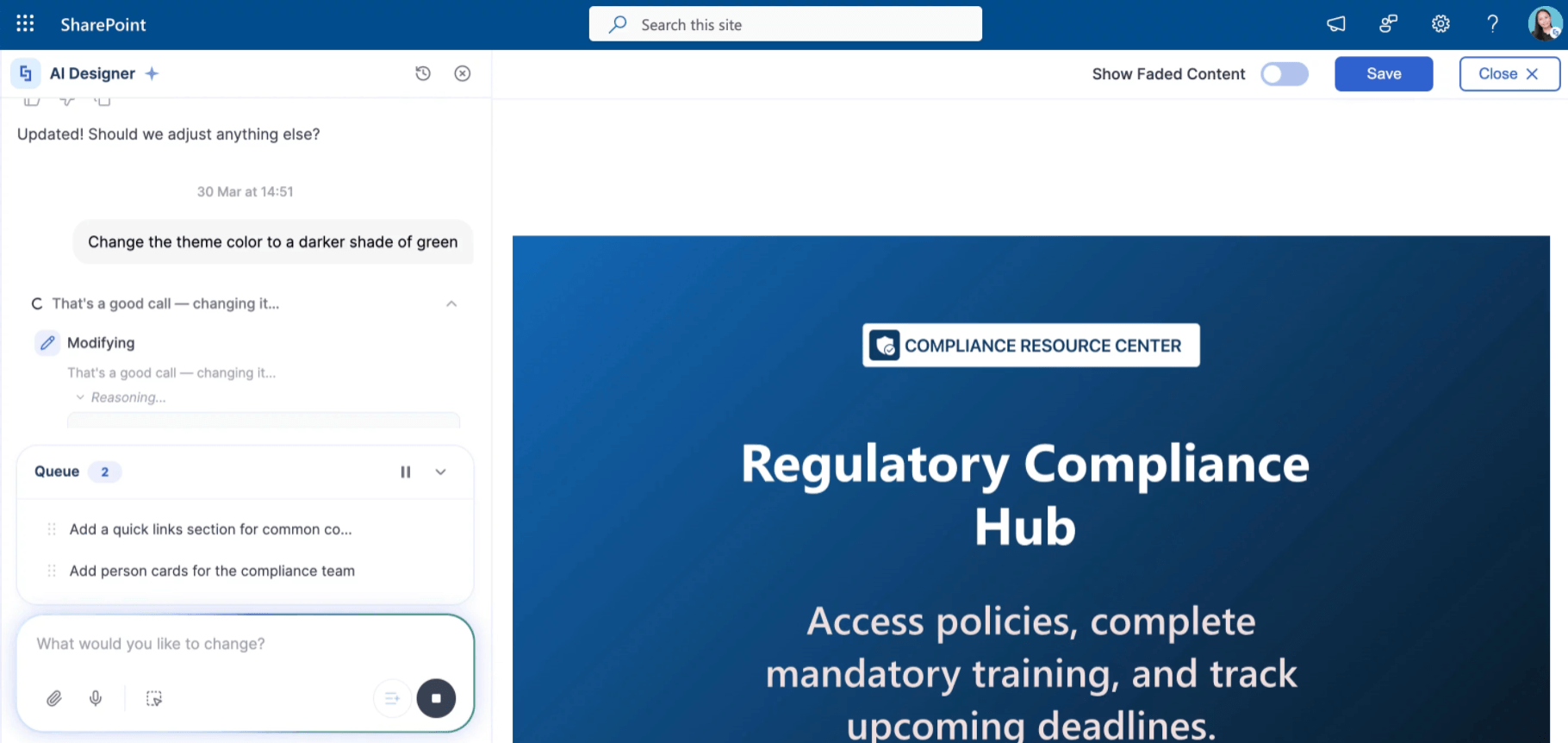
Got a list of things you want to generate? Don't wait. With the Prompt Queue feature, you can fire off multiple prompts while one is still in progress. ShortPoint AI Designer will work its way through them in order, keeping your workflow smooth and efficient. This AI-powered capability ensures a smoother workflow and enhances your productivity when creating content and designing pages for your SharePoint sites. No more wasted time here!
Manage AI Usage
Powerful AI tools are only as good as the governance around them, and we've thought carefully about that too. Alongside ShortPoint AI Designer, ShortPoint has a dedicated control panel for AI usage, called ShortPoint Admin.
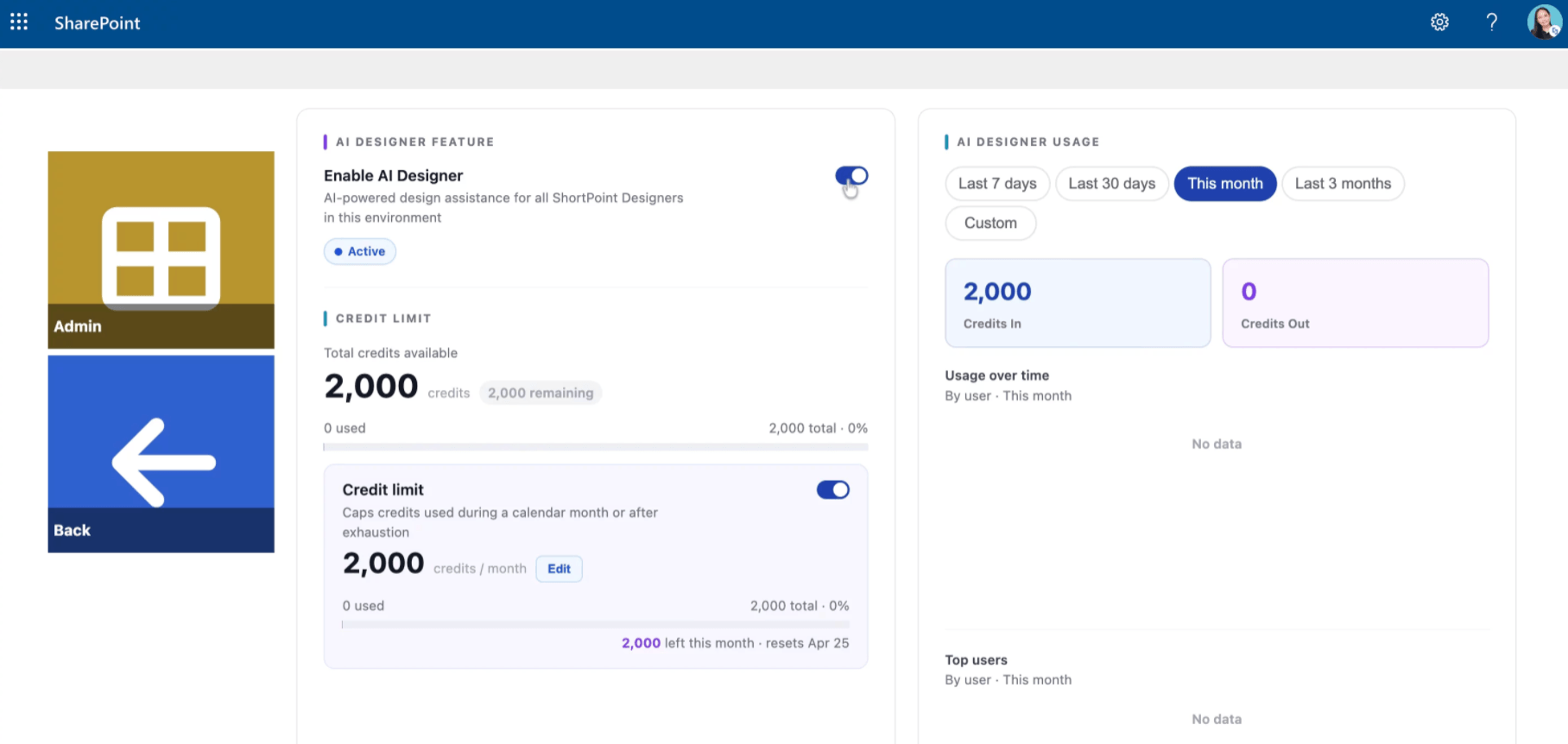
This is where ShortPoint Admins get full visibility and control over every aspect of the AI experience across your organization. Everything you need to manage, edit, and enable for the AI Designer in one place.
