 Try ShortPoint now
ShortPoint Lite is our newest, most cost-effective pricing plan designed for organizations and teams that want to enhance a single SharePoint site without committing to a full tenant-wide solution. Whether you're running a departmental site, project hub, or team intranet, ShortPoint Lite provides you with essential design and content management capabilities at an affordable price point.
What Is ShortPoint Lite?
ShortPoint Lite is a streamlined version of our design and content management platform tailored specifically for one designer and a single SharePoint site. It enables you to create stunning, modern web pages and manage dynamic content, all within the limitations of a targeted, single-site deployment. This makes it ideal for departments and organizations that are looking to improve their digital presence, focusing on only one main hub or portal.
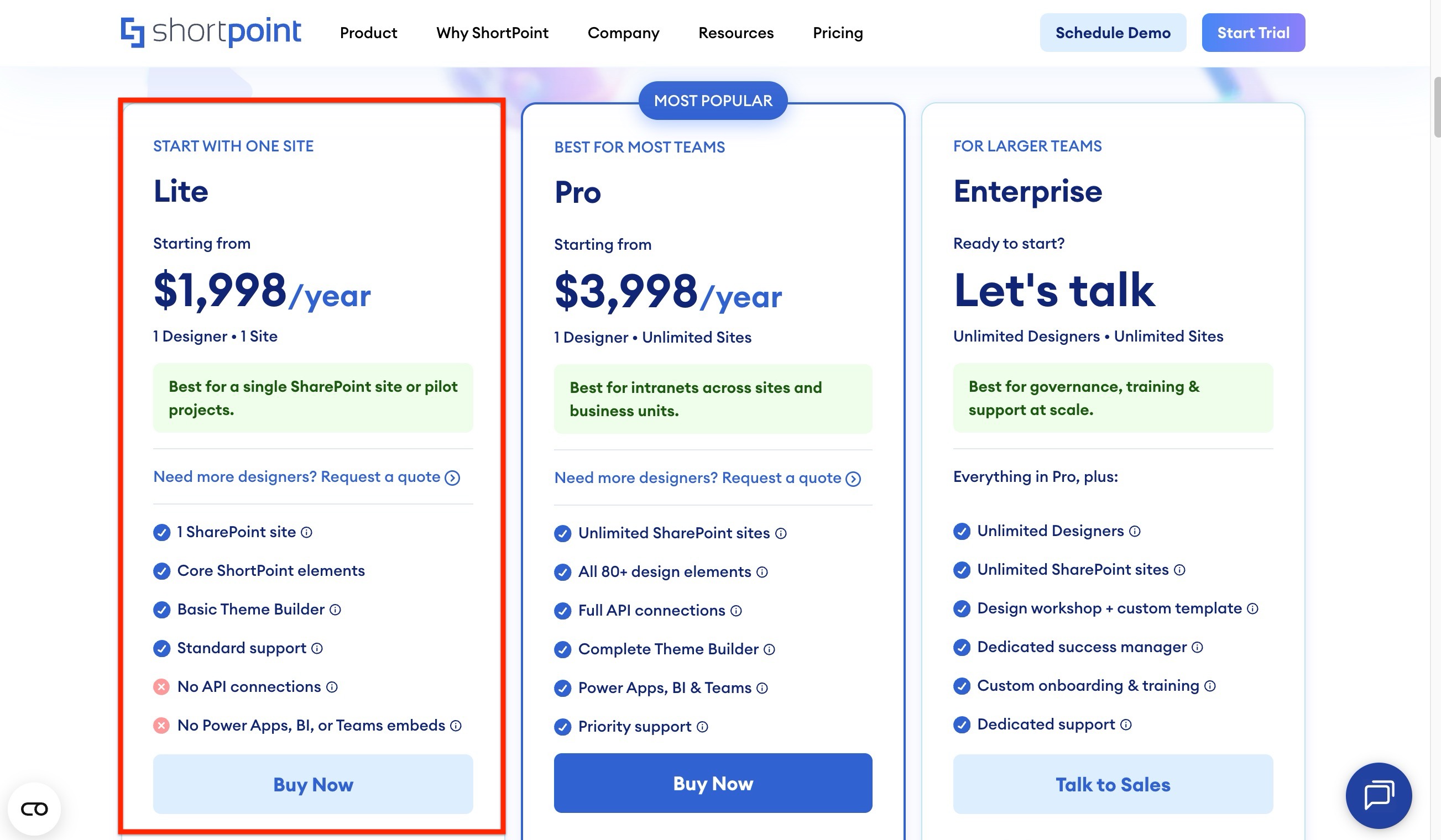
ShortPoint Lite vs. ShortPoint Pro: Key Differences
Understanding the differences between these two plans will help you choose the right solution for your needs.
Scope of Deployment
ShortPoint Lite applies to a single SharePoint site only. You get design functionality within that one site, but cannot extend your license to other sites in your tenant without upgrading.
ShortPoint Pro covers all SharePoint sites within your entire tenant. This gives you unlimited flexibility to deploy across multiple sites, departments, and business units with one comprehensive license.
Feature Set
ShortPoint Lite includes a curated set of core features essential for modern site design and content management, such as:
- Access to use 100+ expert-designed SharePoint templates
- Full page building capabilities in Live Mode
- Essential Design Elements with customization options
- Basic Theme Builder tools
ShortPoint Pro offers a complete feature suite, including advanced functionality like Microsoft Graph API and REST API connections, Teams, Power BI, and Power Apps embeds, full access to the Theme Builder tools, and custom code application.
Best Use Cases for Each Plan
Choose ShortPoint Lite if you're working with a single site and want to avoid overcommitting resources. It's perfect for departmental microsites, project portals, team collaboration hubs, or pilot implementations where you want to evaluate ShortPoint's value with a smaller scope.
Choose ShortPoint Pro if you need consistent design and functionality across multiple sites, require advanced features, or plan to scale your digital workplace initiatives across your organization.
Can I Upgrade From ShortPoint Lite to ShortPoint Pro?
Yes. If you initially choose ShortPoint Lite and later decide you need tenant-wide coverage or advanced features, you can upgrade to ShortPoint Pro. Contact our sales team to discuss upgrade options.
Getting Started with ShortPoint Lite
If you're ready to explore ShortPoint Lite for your site, here's what to expect:
- Visit the ShortPoint pricing page - Review pricing and details of the plan
- Start a Trial or Purchase a license – Choose ShortPoint Lite during the plan selection process
- Initiate installation – Start installation and select the SharePoint site where you'd like to deploy ShortPoint
- Complete installation – Deploy ShortPoint and assign your designer
- Start designing – Begin designing your site pages with ShortPoint's intuitive tools
- Get support – Our support team is available to help you maximize your investment
Need Help?
Our team is here to answer your questions and help you select the right plan for your organization. Whether you want a quick consultation or a detailed comparison, don't hesitate to reach out to our sales or support team.
