 Try ShortPoint now
A surprise is coming your way! ShortPoint is thrilled to introduce 7 brand-new Design Elements to our library. These powerful additions will help you create more engaging, visually stunning SharePoint intranets that truly reflect your organization's brand and culture.
Whether you're looking to add dynamic animations, highlight important content, showcase company achievements, or create captivating headers, these new Design Elements give you the creative freedom to do it all. And all of it requires no coding!
Ready to discover what each one can do for your SharePoint sites? Let's explore!
Heading
Create stunning, professional headers that immediately capture your visitors' attention. What makes it special is the ability to customize every visual detail, ensuring your headers perfectly align with your brand identity and site theme. It's the ideal way to establish visual hierarchy and guide users through your content.
Find out more about it: How to Create SharePoint Headers Using the Heading Design Element

Dual Button
The Dual Button Design Element lets you place two call-to-action buttons side by side effortlessly, creating clear navigation paths for your users. Whether you're directing visitors to related resources, offering multiple options, or creating decision points, you can easily do so with this Design Element. It's perfect for driving engagement and helping users take action quickly.
Find out more about it: How to Place SharePoint Buttons Next to Each Other Using the Dual Button Design Element
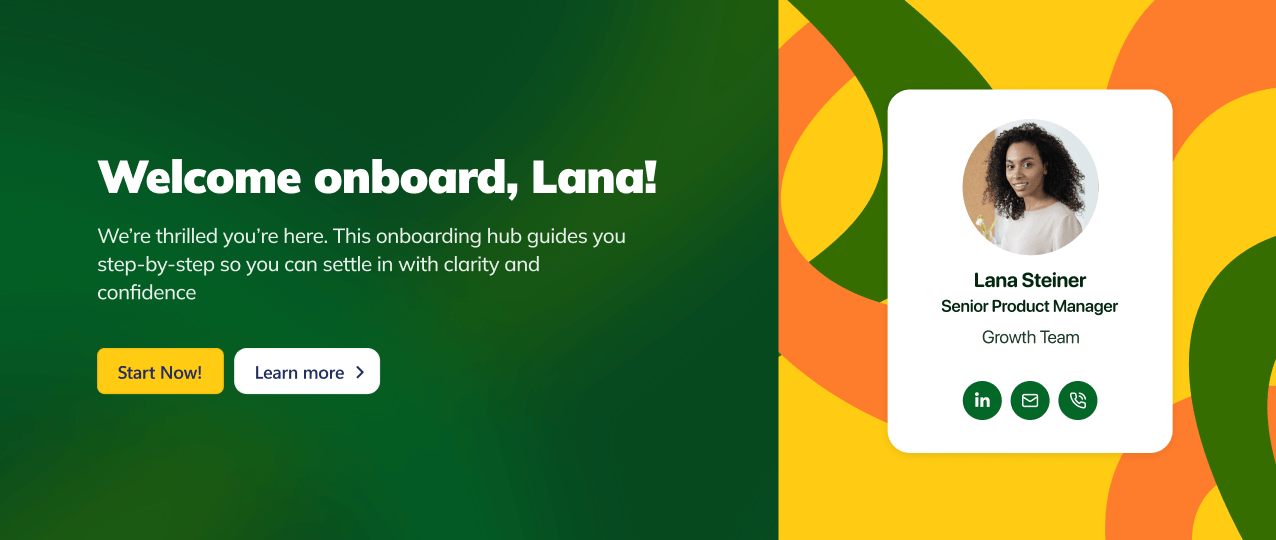
Hero Caption
Make your most important content impossible to miss. The Hero Caption Design Element provides an elegant way to highlight key messages, announcements, or featured content across your SharePoint Online sites. This element seamlessly integrates with your modern SharePoint pages to elevate the user experience.
Find out more about it: How to Create a SharePoint Hero Section Using the Hero Caption Design Element

Highlighted Text
Add personality and emphasis to your content with beautiful text highlights. This Design Element lets you showcase important phrases, quotes, or key takeaways in a visually appealing way that makes your content more scannable and engaging. It's an excellent way to break up text-heavy pages and guide readers to your most important messages.
Find out more about it: How to Highlight Words in SharePoint Using the Highlighted Text Design Element
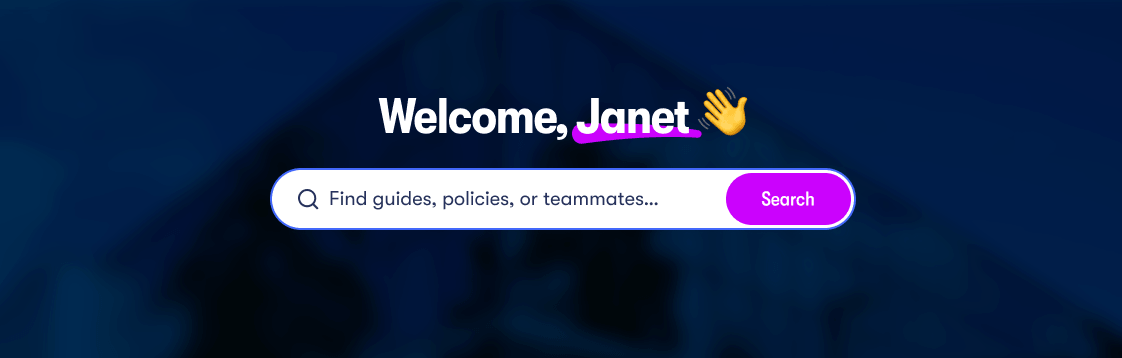
Rotating Text
Capture attention with dynamic, animated text that cycles through multiple messages. The Rotating Text Design Element adds movement and visual interest to your pages, making it perfect for highlighting multiple benefits, rotating announcements, or showcasing different value propositions in a compact space.
Find out more about it: How to Create a Spinning Text Effect in SharePoint Using the Rotating Text Design Element

Lottie
Bring your SharePoint sites to life with stunning, lightweight animations. The Lottie Design Element empowers you to add sophisticated motion design and interactive animations without any coding knowledge. These high-quality animations enhance user experience, guide attention, and add a premium feel to your pages.
Find out more about it: How to Add Lottie Animation in SharePoint Using the Lottie Design Element
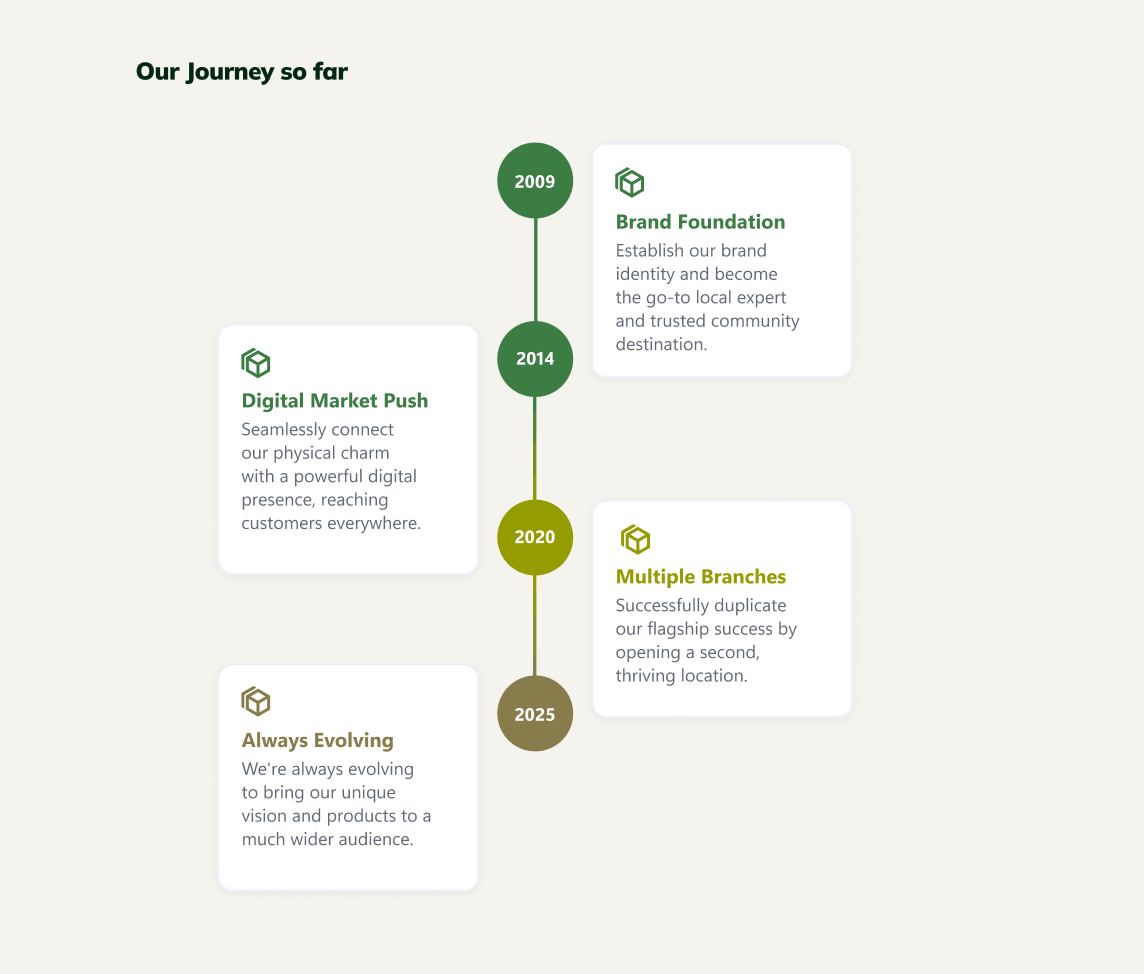
Timeline
Tell your organization's story with visual impact. The Timeline Design Element makes it simple to showcase company milestones, project phases, historical achievements, or roadmap plans in an intuitive, easy-to-follow format. It's ideal for About pages, project sites, or anywhere you want to present information chronologically.
Find out more about it: How to Create a Timeline in SharePoint Sites Using the Timeline Design Element
Your Surprise Awaits!
These 7 new Design Elements are here to level up your design experience. They’re crafted to make your SharePoint sites more beautiful, engaging, and effective than ever before. The best part? If you’re already a ShortPoint Designer, all you have to do is upgrade to ShortPoint SPFx version 8.8.0.0, and you’re ready to go.
Not yet a ShortPoint Designer? No worries! You can start exploring these new additions, too. All you have to do is start a FREE 15-day trial with us. Or you can reach out to our team; we’re happy to answer any of your questions and help you take your SharePoint intranet designs to the next level.
Related articles:
- How to Create SharePoint Headers Using the Heading Design Element
- How to Place SharePoint Buttons Next to Each Other Using the Dual Button Design Element
- How to Create a SharePoint Hero Section Using the Hero Caption Design Element
- How to Highlight Words in SharePoint Using the Highlighted Text Design Element
- How to Create a Spinning Text Effect in SharePoint Using the Rotating Text Design Element
- How to Add Lottie Animation in SharePoint Using the Lottie Design Element
- How to Create a Timeline in SharePoint Sites Using the Timeline Design Element
