Try ShortPoint now
Ever noticed this random string of numbers and letters as you build applications in Microsoft Power Apps?
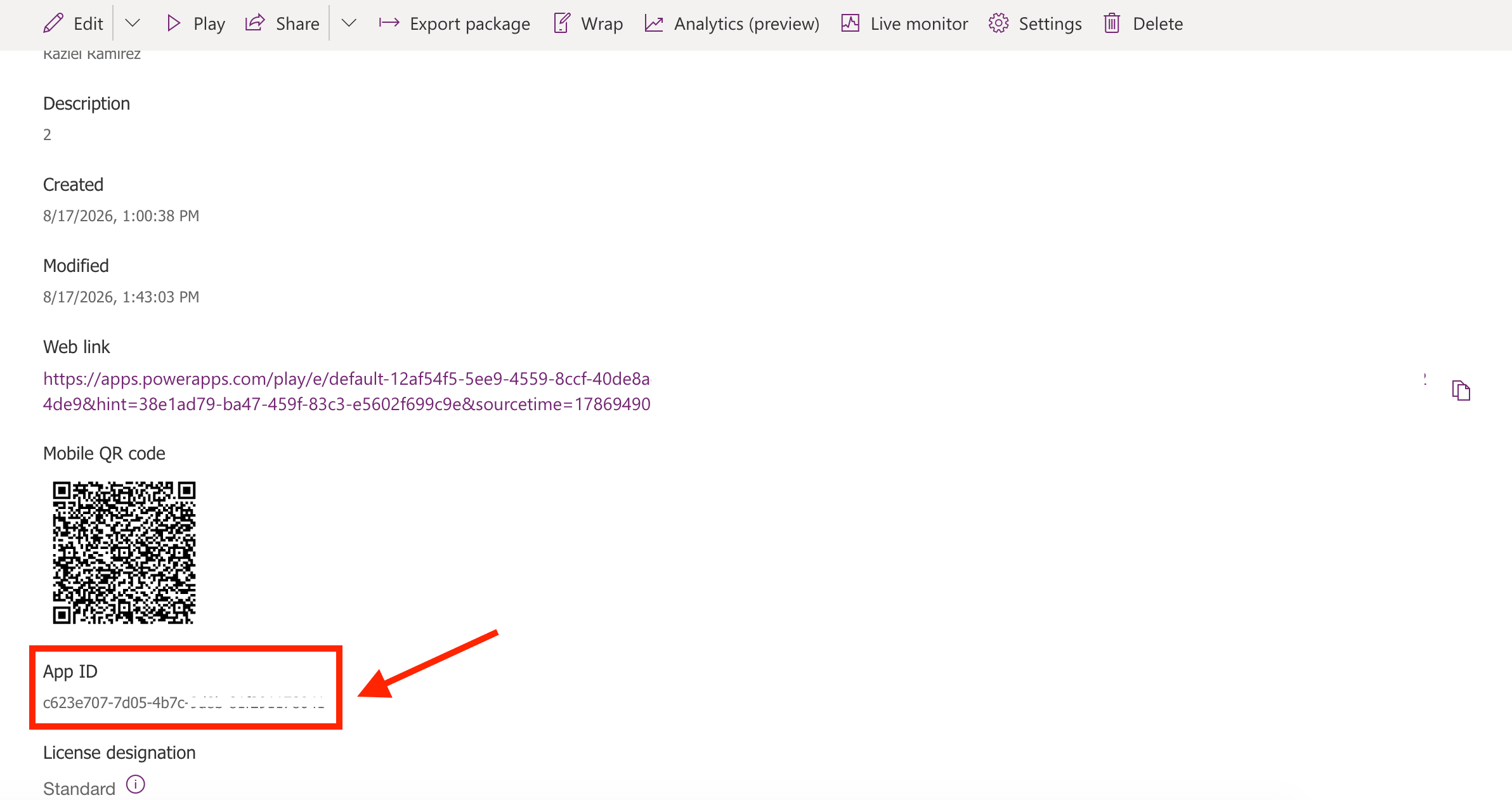
If you have, you are seeing the application's App ID. While it may look random, behind the scenes it plays a vital role in keeping your low-code solutions organized and running smoothly. In this article, we'll tackle everything about it so you can make the most out of it.
TABLE OF CONTENTS
- Prerequisites
- What Is a Power Apps App ID?
- How to Find Your App ID
- Using the App ID
- Frequently Asked Questions
Prerequisites
- You should have a Power Apps license associated to your Azure AD account.
- Make sure that the Power Apps application is shared with you or you have the appropriate permissions.
What Is a Power Apps App ID?
A Power Apps App ID is a unique Globally Unique Identifier (GUID) assigned to your application the moment it’s created. It typically looks something like this:
12345678-abcd-1234-efgh-1234567890ab
While two apps might share the exact same display name (like "Expense Reporter" or "Leave Request"), no two applications in the world will ever share the same App ID. It serves as the definitive reference point for the Power Platform system to identify, run, and manage your specific app.
How to Find Your App ID
It takes only a few clicks to find the Power Apps App ID. Start the interactive tutorial to learn how:
Step 1: Open Application Details Pane
- Log in to make.powerapps.com.
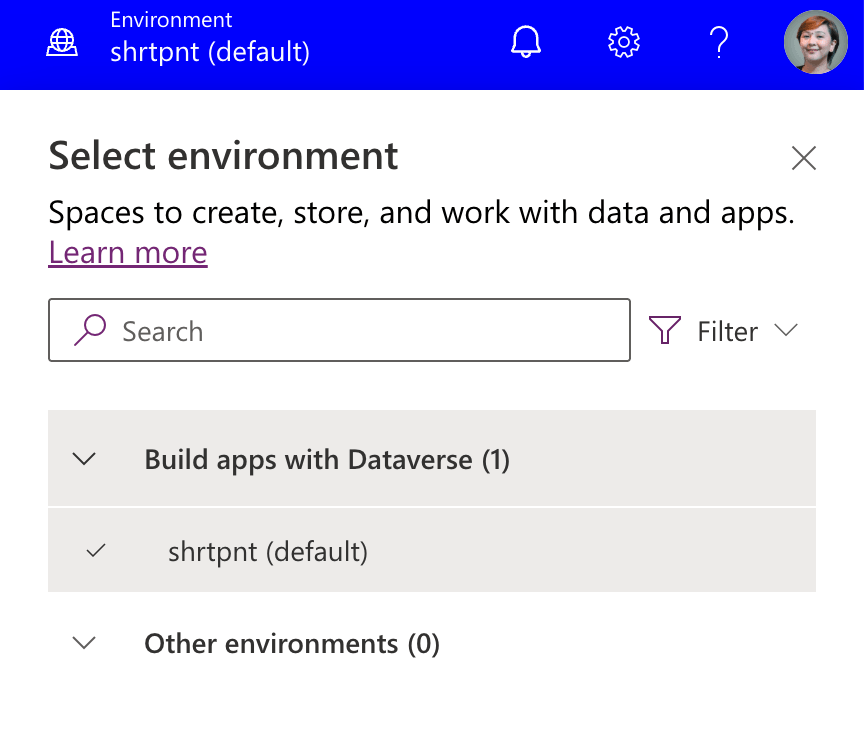
- Ensure you're using the environment where the application is located:
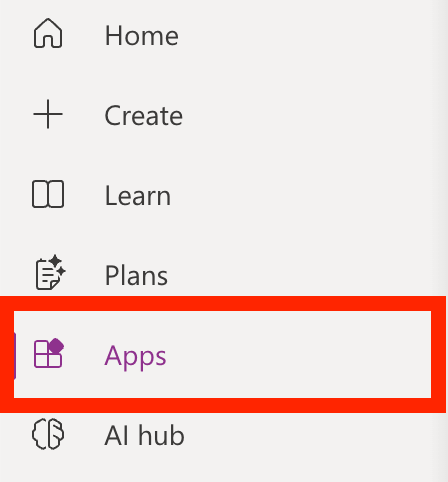
- Select Apps:
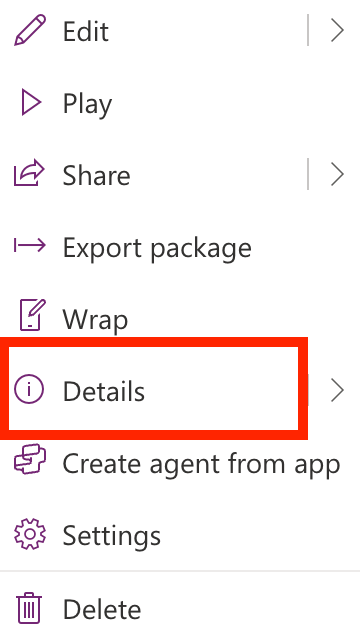
- Look for your application and select the vertical ellipsis:

- Open Details:
Step 2: Copy App ID
- Look for the App ID field. Copy the string of numbers and letters under it.
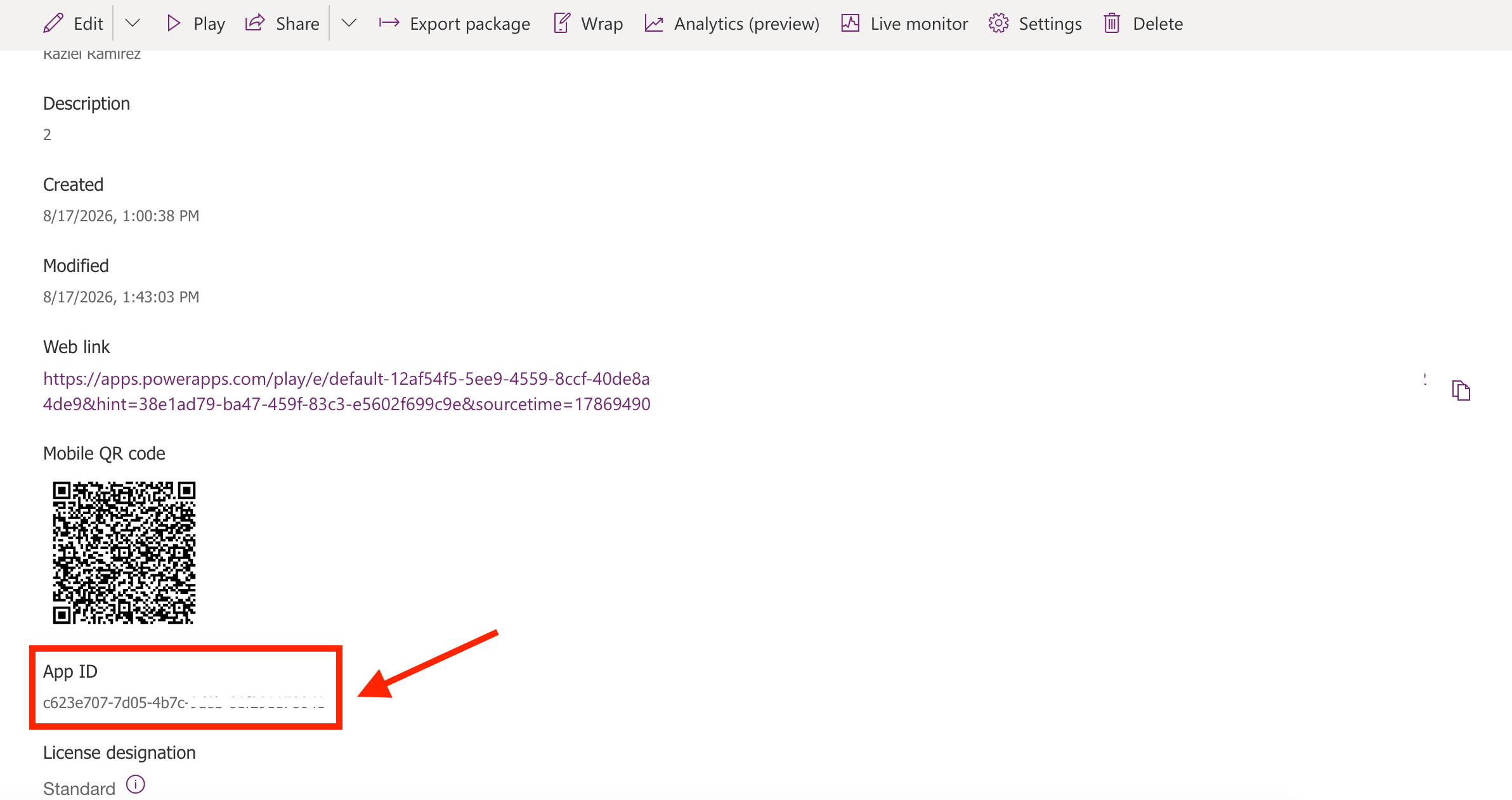
Congratulations! You now know how to find your App ID.
Using the App ID
Ready to use the App ID in real-life scenarios? We've listed a couple of useful ways you can make the most out of the App ID:
Direct Linking and Web Launching
You can construct a direct URL to open your application in a web browser using its App ID. This makes it easy to bookmark apps, share direct access via email, or embed them on SharePoint pages and intranet portals.
Automation and Power Automate Integration
When triggering Power Apps flows or using Power Platform admin connectors, workflows need a fail-safe way to target the correct application. Using the App ID ensures your flow interacts with the intended app, even if someone renames it later.
Embedding Apps to SharePoint Sites
You can easily add Power Apps applications to your SharePoint sites with the App ID. How? With the ShortPoint Power Apps Design Element!
Simply paste the App ID in the field provided, and you're good to go. Your site viewers will be able to interact with and use your applications right on your SharePoint site.
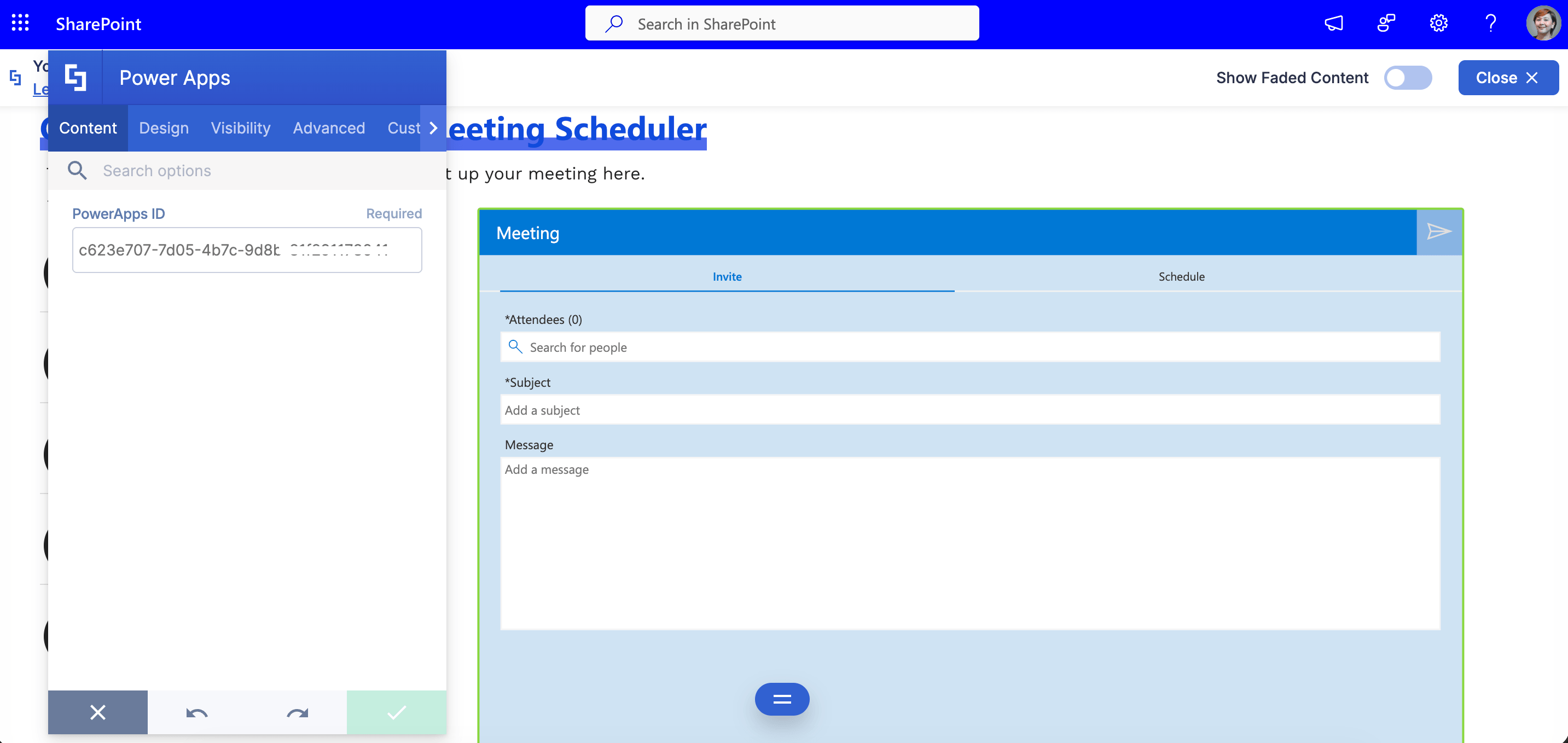
To start adding Power Apps in SharePoint, simply update to the latest ShortPoint version and follow the steps outlined in How to Add Power Apps in SharePoint Using the Power Apps Design Element.
New to ShortPoint? You can give it a try anytime! Just reach out to our experts or take advantage of our FREE 15-day trial to explore everything ShortPoint has to offer.
Frequently Asked Questions
Does the App ID change if I rename my app?
No! The display name of your application can change as often as you like, but the App ID remains permanent throughout the lifetime of that specific application.
Is an App ID the same thing as a Session ID?
No, though they look similar. An App ID identifies the application itself. A Session ID identifies a specific user session (a single instance of someone using the app at a given point in time). You use Session IDs primarily for live error debugging.
Is the App ID confidential or secret?
Not strictly, but it should be handled thoughtfully. While exposing an App ID isn't an immediate security breach (since user security permissions still protect access to the app itself), keeping infrastructure details organized helps prevent unauthorized embedding or link sharing.
Related articles: