Try ShortPoint now
TL;DR: To update ShortPoint On-Prem LTS (ShortPoint SPFx 9.4.X.X and below) to ShortPoint On-Prem Modern (9.5.0.0 and above) on SharePoint 2019 or Subscription Edition, go to a SharePoint page, click the ShortPoint shortcut, and open the Dashboard. Then click Update and Continue, choose Update Now, and click Update to confirm. You can also turn on Auto Update so new ShortPoint versions install automatically.
This article shows you how to update ShortPoint On-Prem LTS (ShortPoint SPFx version 9.4.X.X and below) to ShortPoint On-Prem Modern (ShortPoint SPFx version 9.5.0.0 and above).
Updating ensures your SharePoint 2019 and SharePoint Server Subscription Edition (SE) designers can take full advantage of ShortPoint's newest features and improvements. Check out ShortPoint Says Goodbye to Grid Mode: Welcome to a Faster, Seamless Live Mode Experience to see what this update has to offer.
NOTEIf you still have SharePoint 2019/SE Classic pages, we highly recommend converting them to modern before proceeding with this tutorial. Classic pages will not receive new features from this update. Additionally, Classic Theme Builder will be deprecated.

Need help making the switch? Go to How to Convert Your SharePoint 2019/SE Classic Pages to Modern
TABLE OF CONTENTS
Prerequisite
- You are on SharePoint 2019/Subscription Edition (SE).
- You must be a ShortPoint Designer with an active license.
Step-by-step Tutorial
Follow the steps below to learn how to update to ShortPoint On-Prem Modern (ShortPoint SPFx version 9.5.0.0 and above):
Step 1: Launch Dashboard
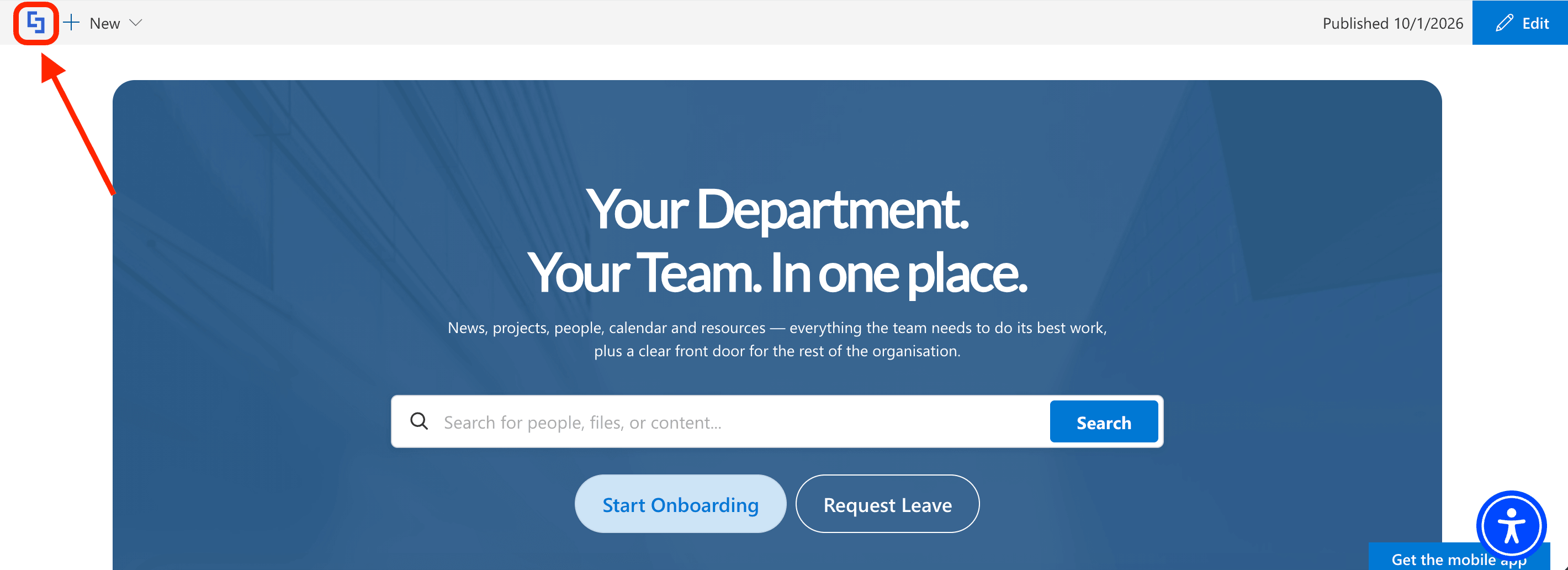
Go to a SharePoint page and click the ShortPoint shortcut:
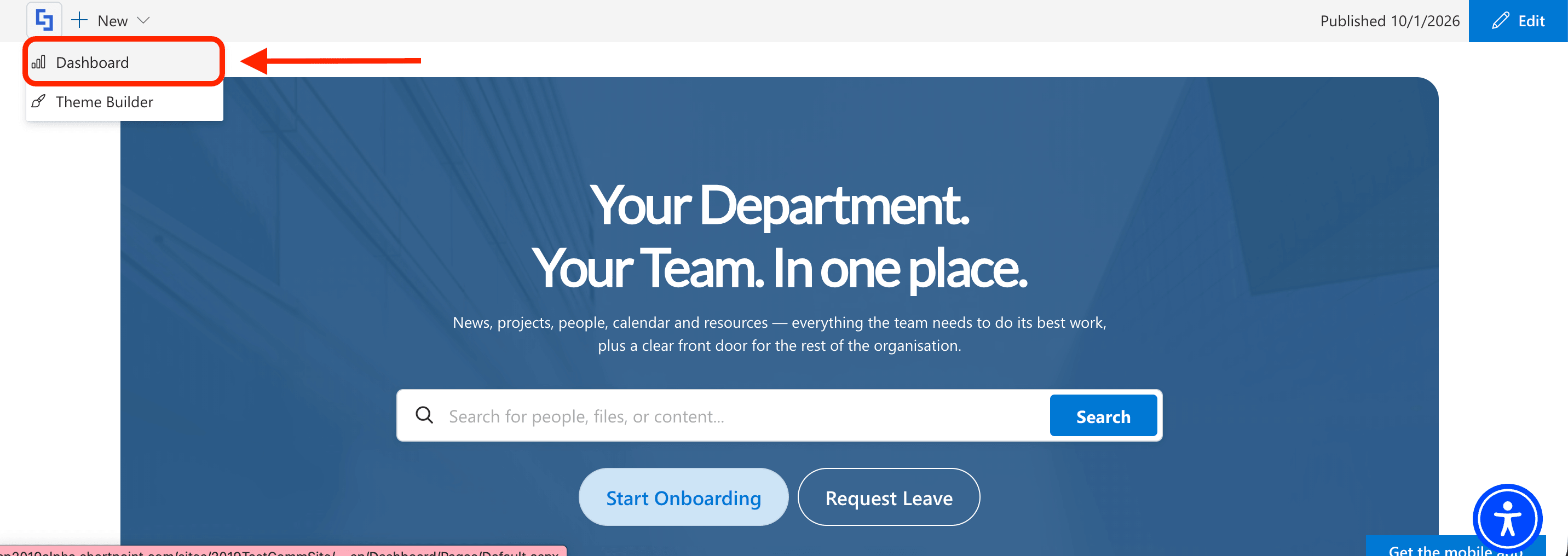
Select Dashboard:
Step 2: Open Updates
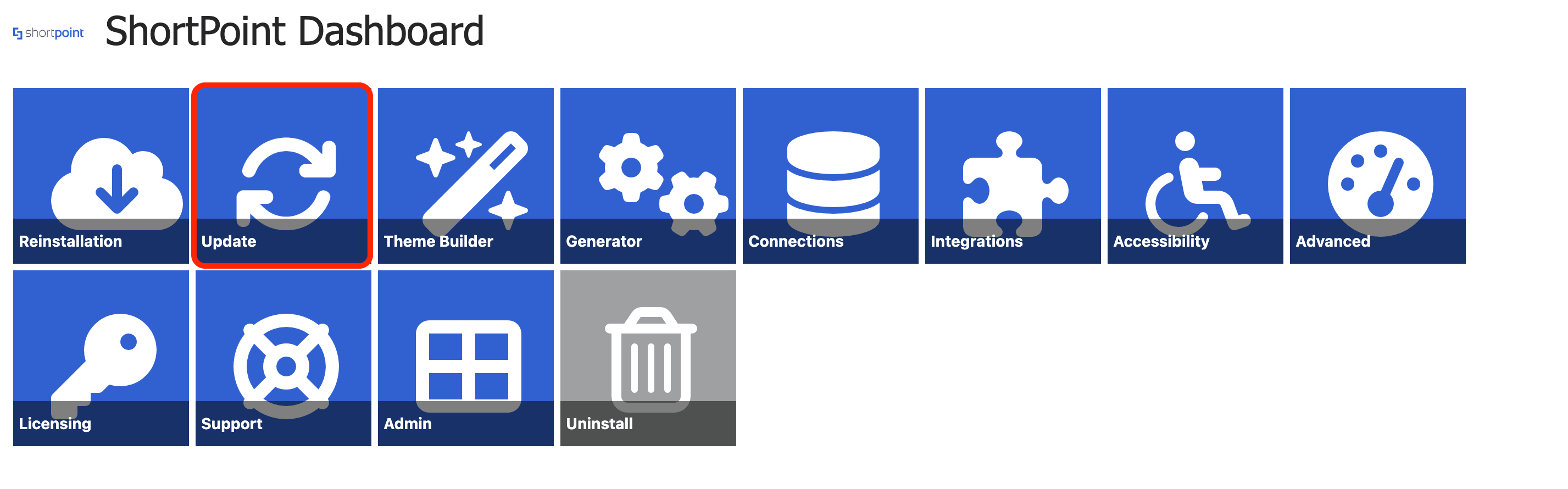
Click Update:
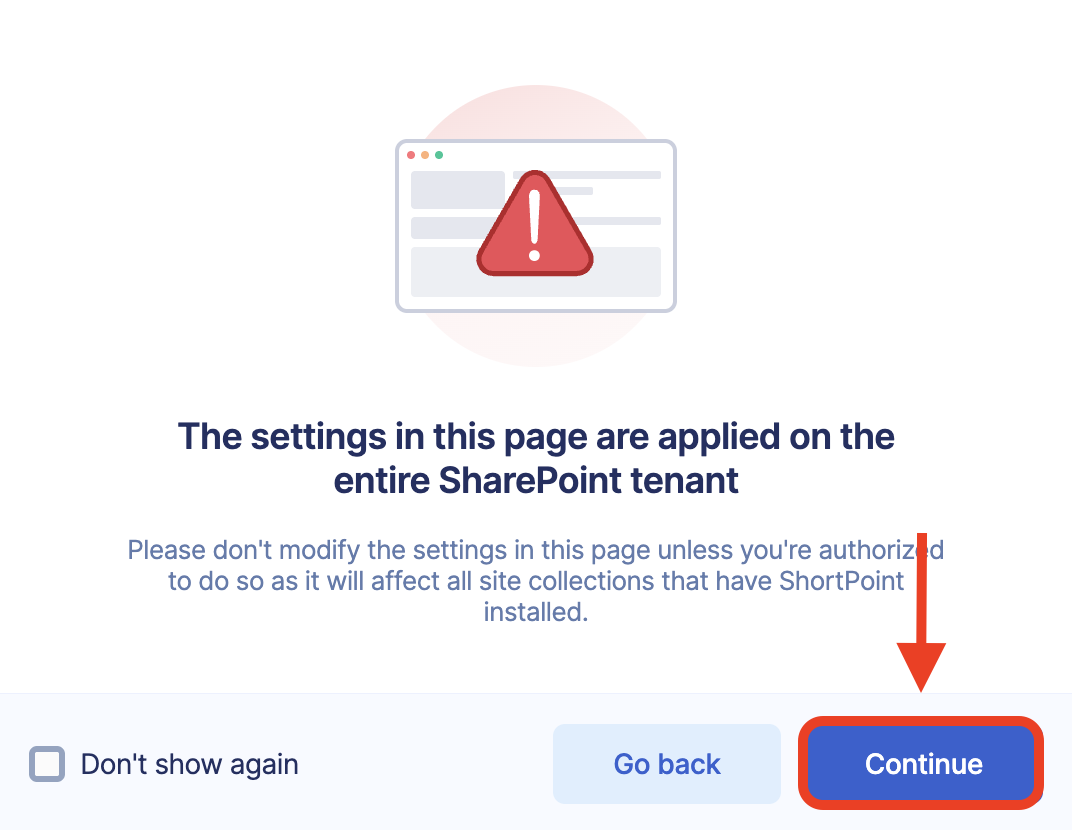
A pop-up will appear, stating that the changes made in the Update page will be applied to the entire tenant. Click Continue:
Step 3: Update to ShortPoint On-Prem Modern
Choose Update Now:
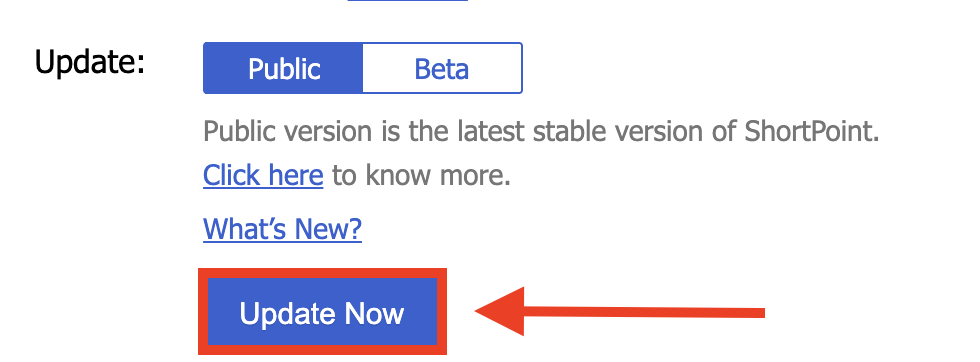
Click Update to confirm your action:

Step 4: (Optional) Enable Auto Update
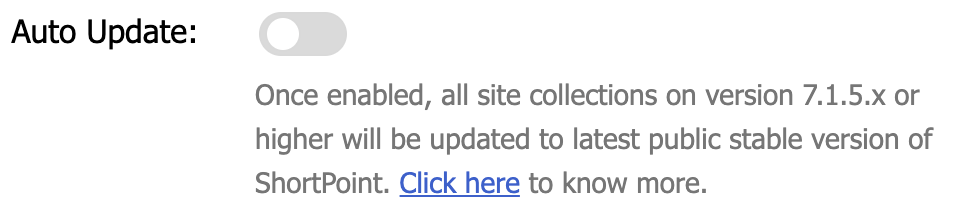
If you wish to get the latest versions of ShortPoint SPFx automatically, you can enable Auto Update (if you haven't yet). To do so, toggle on Auto Update:
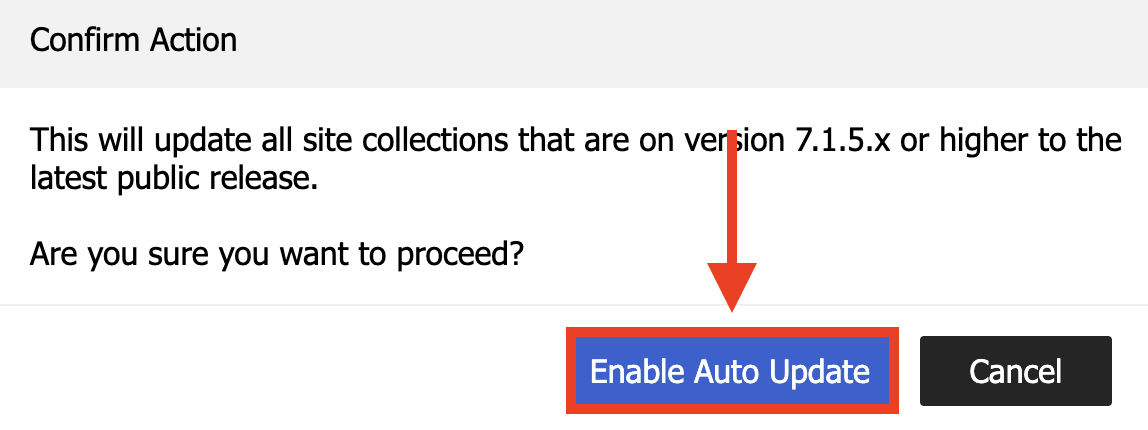
Click Enable Auto Update to confirm your action:
Congratulations! You’ve successfully updated to ShortPoint On-Prem Modern. You can now enjoy all of the new features ShortPoint has to offer.
Related articles: