Try ShortPoint now
By default, your SharePoint site name matches the browser tab title.
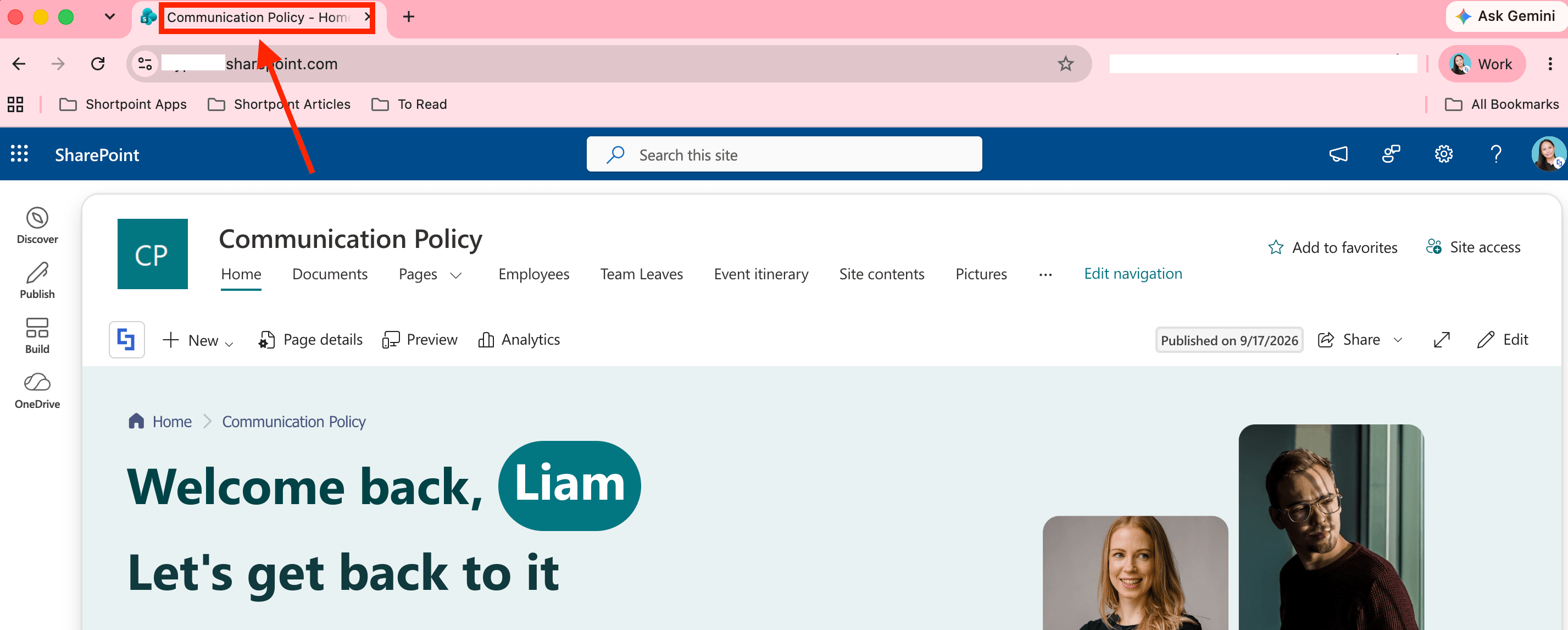
With ShortPoint Theme Builder’s ‘Site Title’ option, you can change it to any title you’d like. Follow the steps below to learn how.
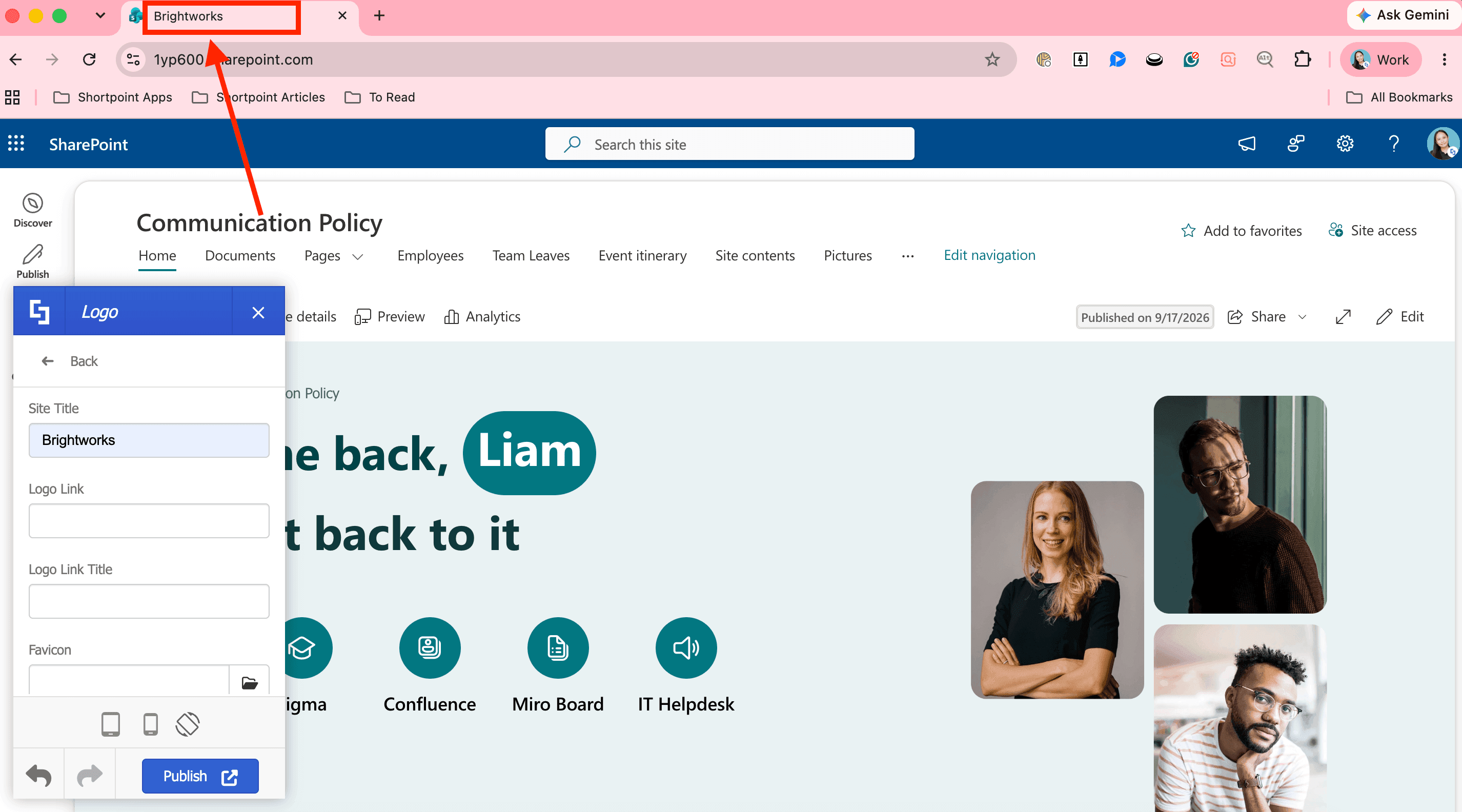
TABLE OF CONTENTS
- Prerequisites
- What is Site Title?
- Modifying the Site Title
- FAQ: Changing the SharePoint Site Title Using Theme Builder
Prerequisites
- You must have the latest version of ShortPoint SPFx installed.
- You must be a ShortPoint Designer with either a Pro or Enterprise License. For more information, check out Licensing Options.
What is Site Title?
Site Title is a field found in ShortPoint Theme Builder that allows you to modify the default browser tab title:
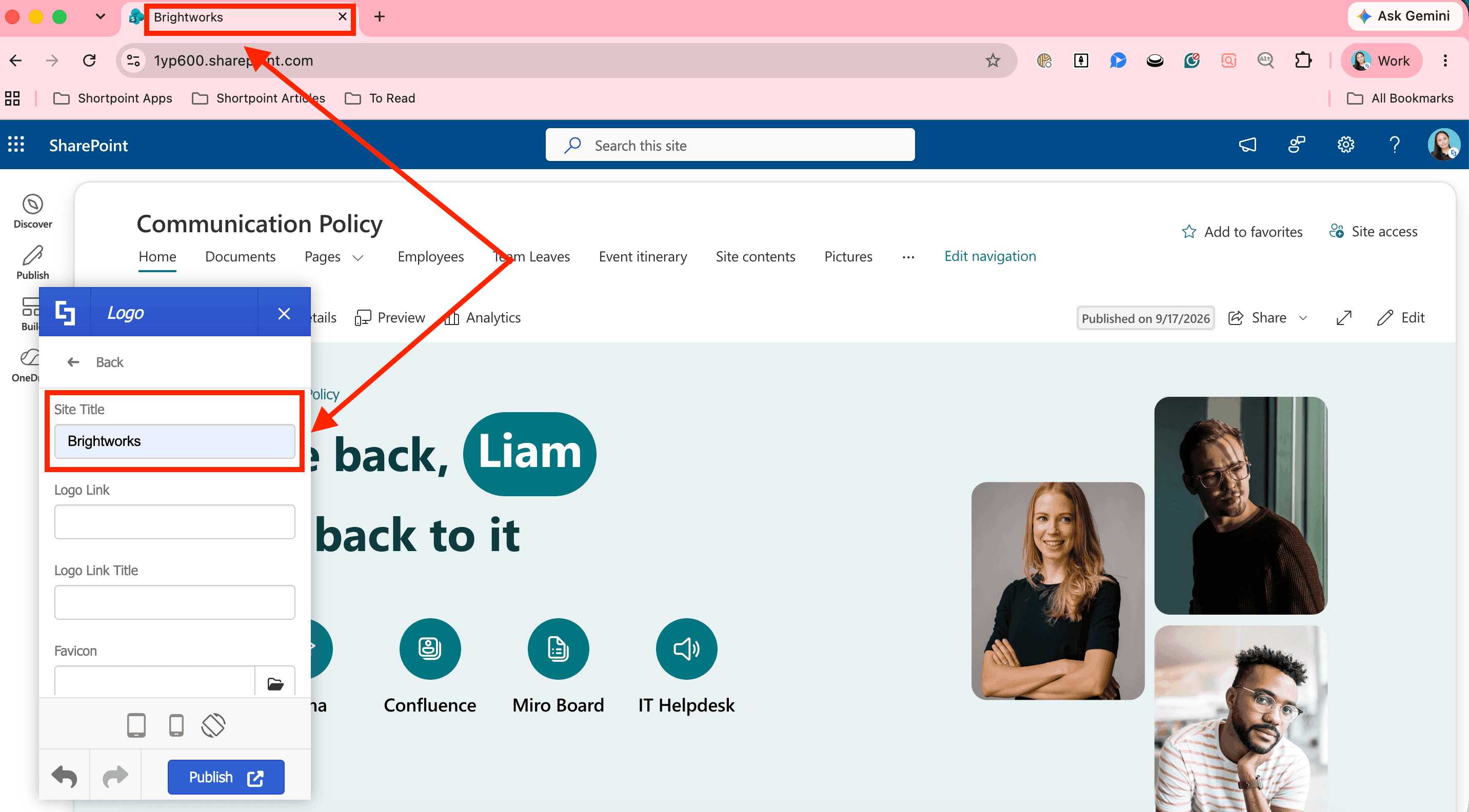
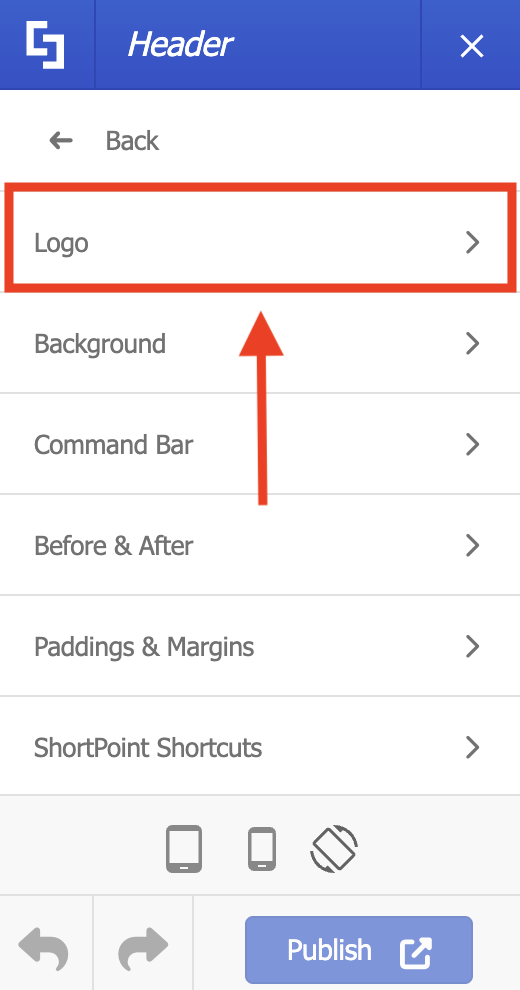
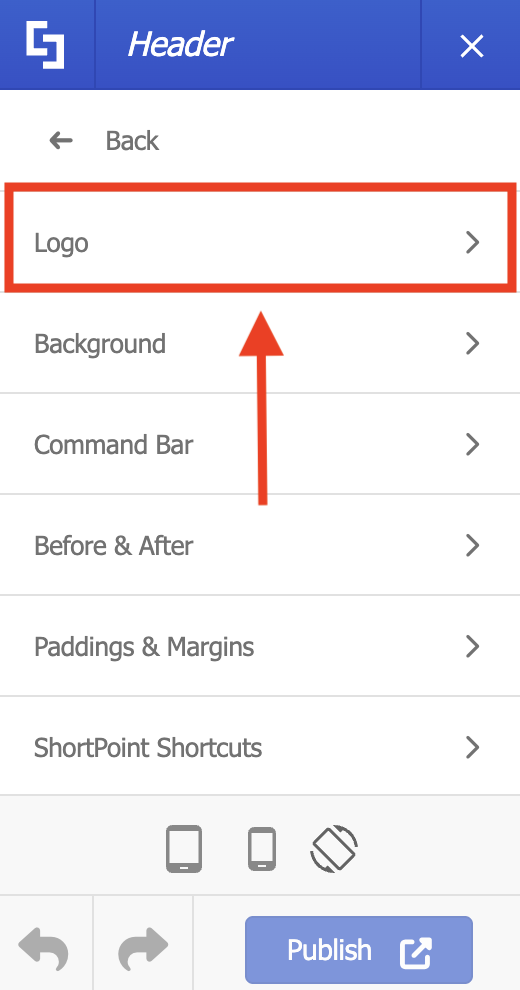
It is located inside Header > Logo, where you can find several other options to customize other elements inside the browser tab, including the favicon.
 |  |
Modifying the Site Title
Click Get Started to learn how to change the Site Title using ShortPoint Theme Builder:
Step 1: Open Theme Builder
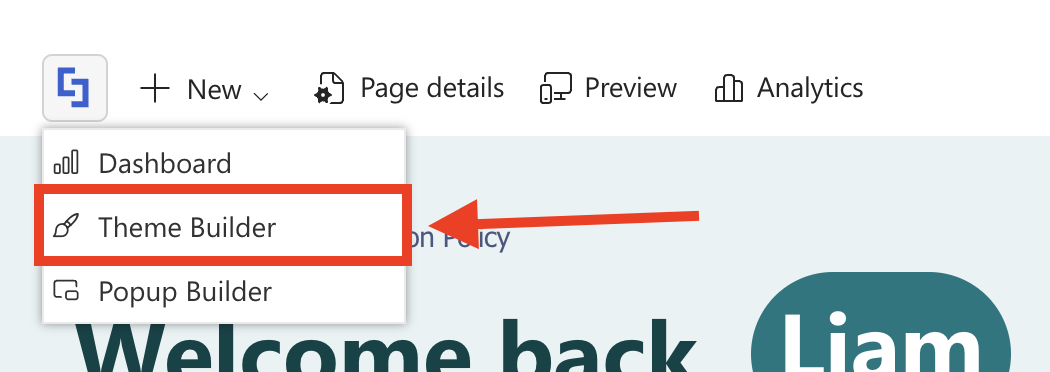
- Go to a SharePoint page and click the ShortPoint shortcut:

- Select Theme Builder:
Step 2: Open Logo Settings
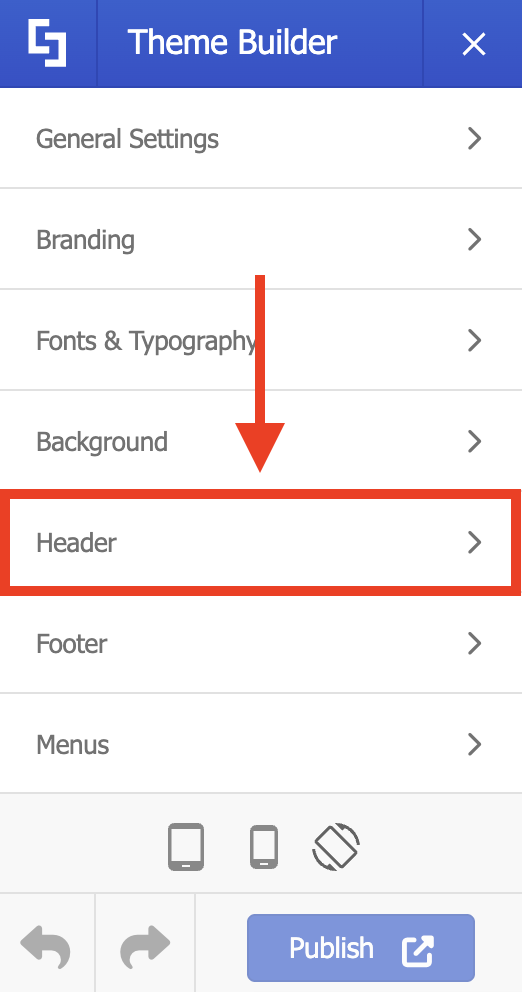
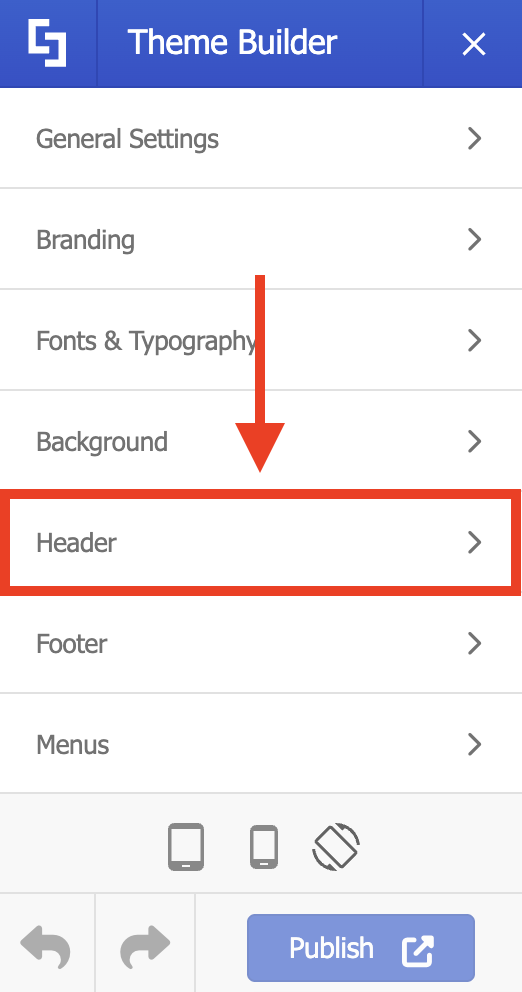
- Click Header:
- Select Logo:
Step 3: Modify Site Title
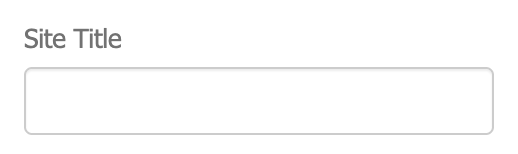
- Write down the new title in the Site Title field:
Step 4: Publish
- Once satisfied, click Publish:

FAQ: Changing the SharePoint Site Title Using Theme Builder
What is the Site Title in ShortPoint Theme Builder?
The Site Title is a field in ShortPoint Theme Builder that allows you to modify the default browser tab title of your SharePoint site.
Where can I find the Site Title option?
The Site Title option is located inside the Theme Builder under Header > Logo, along with other customization options like the favicon.
What are the prerequisites for changing the Site Title?
You must have the latest version of ShortPoint SPFx installed and be a ShortPoint Designer with either a Pro or Enterprise License.
How do I open the Theme Builder to change the Site Title?
Go to a SharePoint page, click the ShortPoint shortcut, and then select Theme Builder.
How do I modify the Site Title?
In Theme Builder, click Header, then Logo, and write the new title in the Site Title field.
What should I do after modifying the Site Title?
Once you are satisfied with the new title, click Publish to apply the changes.
Related articles:
- How to Keep the ShortPoint Footer at the Bottom of the Page
- How to Create Language Toggle Buttons in SharePoint Using Theme Builder
- How to Customize Your SharePoint Site Header Using ShortPoint Theme Builder