 Try ShortPoint now
Remember when keeping up with your favorite websites meant bookmarking dozens of pages and manually checking each one for updates? Those days are long gone, thanks to a technology that's been quietly making our digital lives easier for over two decades: RSS feeds.
And the best part? You can use RSS Feeds to display important news and updates in your SharePoint sites using ShortPoint's RSS Feed connection type. Now, your page viewers can get the information they need without having to leave your SharePoint intranet.
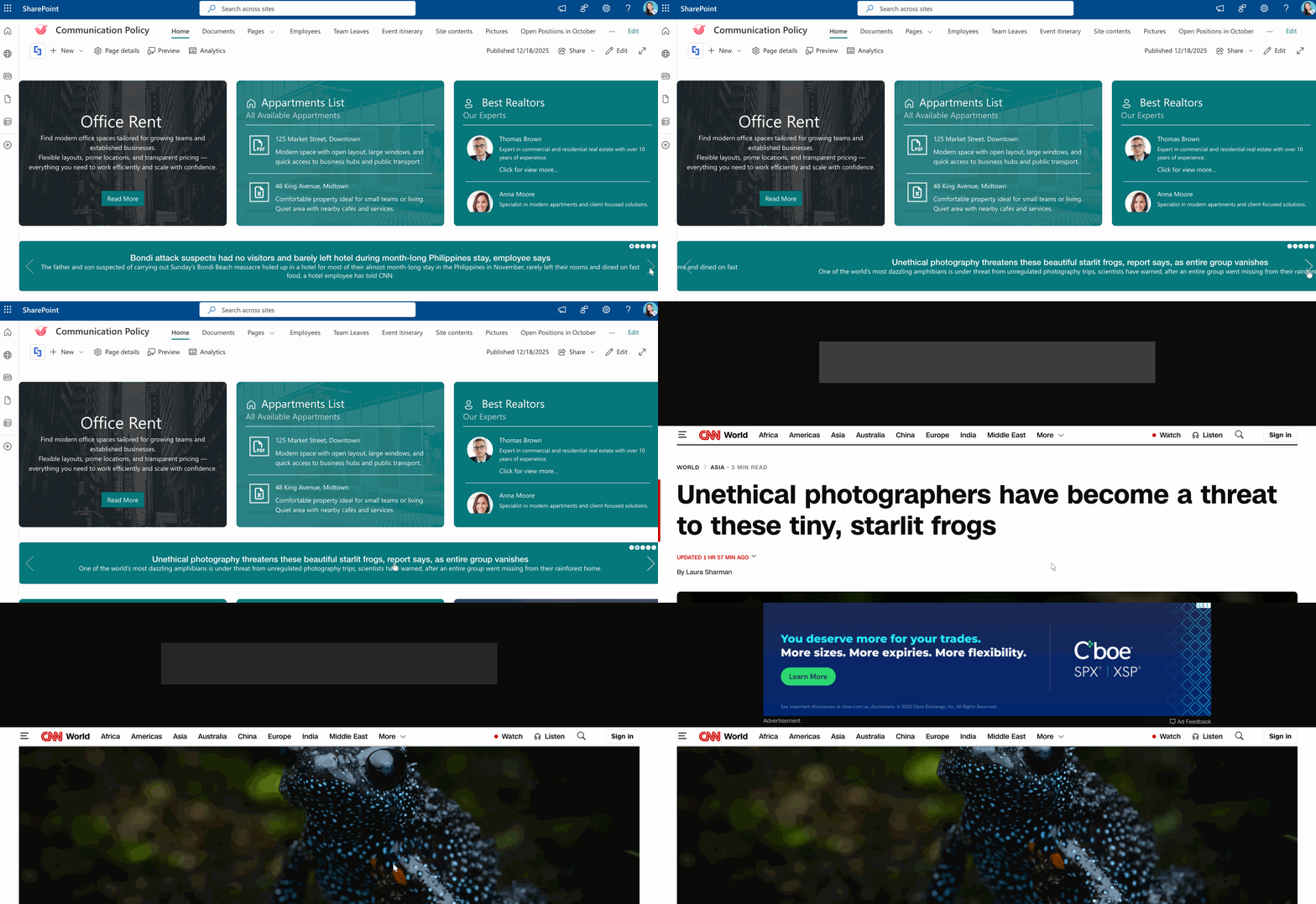
This article will walk you through how to make an RSS feed URL, which you'll need to display your RSS feeds in SharePoint.
TABLE OF CONTENTS
- What Is an RSS Feed?
- How to Generate an RSS Feed URL
- Making the Most of RSS Feeds
- Frequently Asked Questions
- What is an RSS feed?
- How do I create an RSS feed URL?
- Do I need coding skills to create or use an RSS feed?
- Can I use RSS feeds with SharePoint?
- Are RSS feeds secure?
- What happens if a website stops updating its RSS feed?
- Can I create an RSS feed from any webpage?
- How often do RSS feeds update?
- Can I customize RSS feeds?
- Where can I use an RSS feed URL?
What Is an RSS Feed?
RSS stands for "Really Simple Syndication" (though some say "Rich Site Summary"), and it lives up to that name. At its core, an RSS feed is a standardized format that websites use to publish their latest content updates. Think of it as a newsletter, but instead of landing in your email inbox, it arrives in a feed reader of your choice.
When a website publishes new content (whether it's a blog post, news article, podcast RSS feed episode, or video), the RSS feed automatically updates with that information. Your RSS reader then collects all these updates from various sources and presents them in one convenient location, like a personalized newspaper tailored to your interests.
The technical side is straightforward: RSS feeds are XML files that contain the title, description, publication date, and link to each piece of content. You don't have to understand HTML code to use them. There’s even no coding required. That's the beauty of RSS! The complexity is hidden behind simple, user-friendly interfaces.
How to Generate an RSS Feed URL
Here's how you can create an RSS feed URL using RSS feed generators. Simply click Get started to learn how:
NOTEYou can use any RSS Feed generator you want, but for this guide, we'll use RSS.app.
Step 1: Paste Page URL
- Go to the RSS Feed generator of your choice. For this guide, we'll use RSS.app.
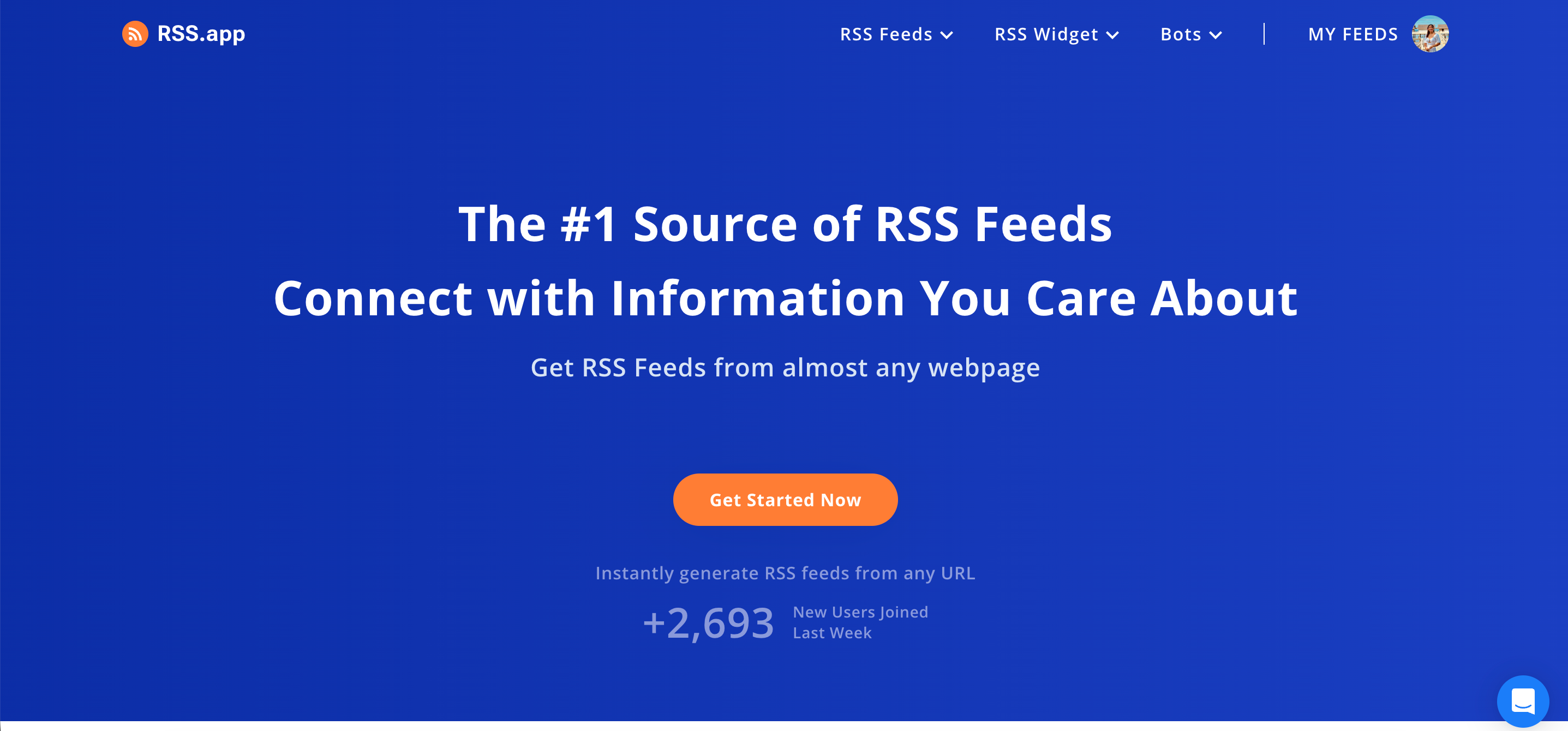
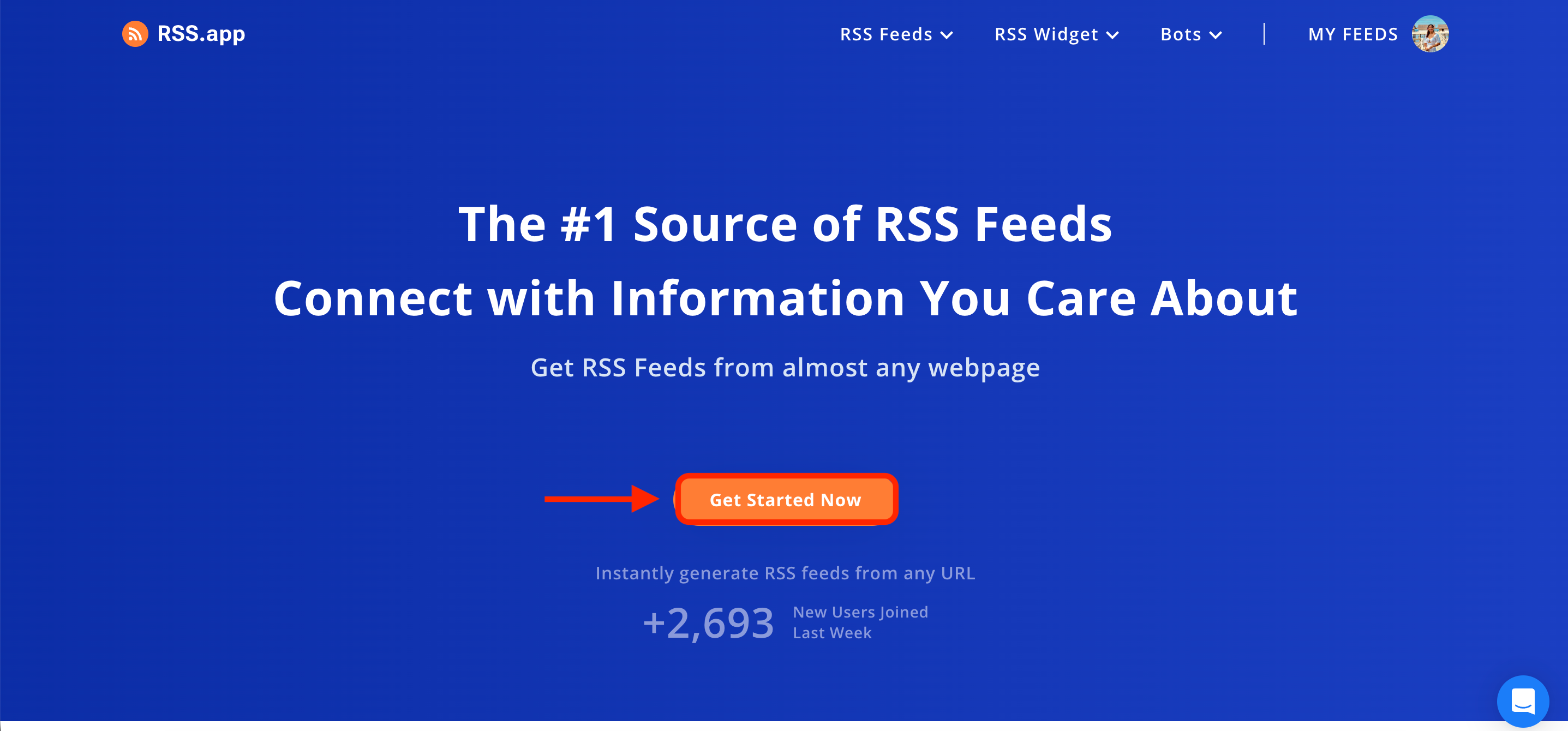
- If you opt to use RSS.app, you must create a free account to start generating RSS feed URLs. Click Get Started Now:
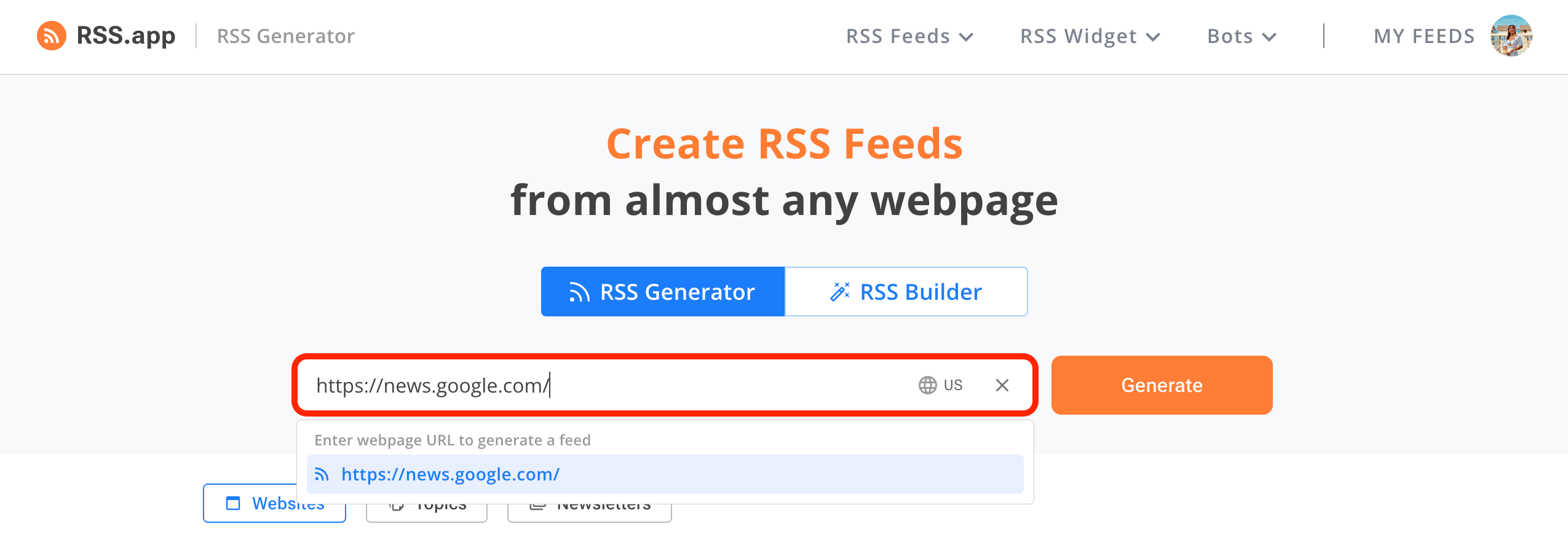
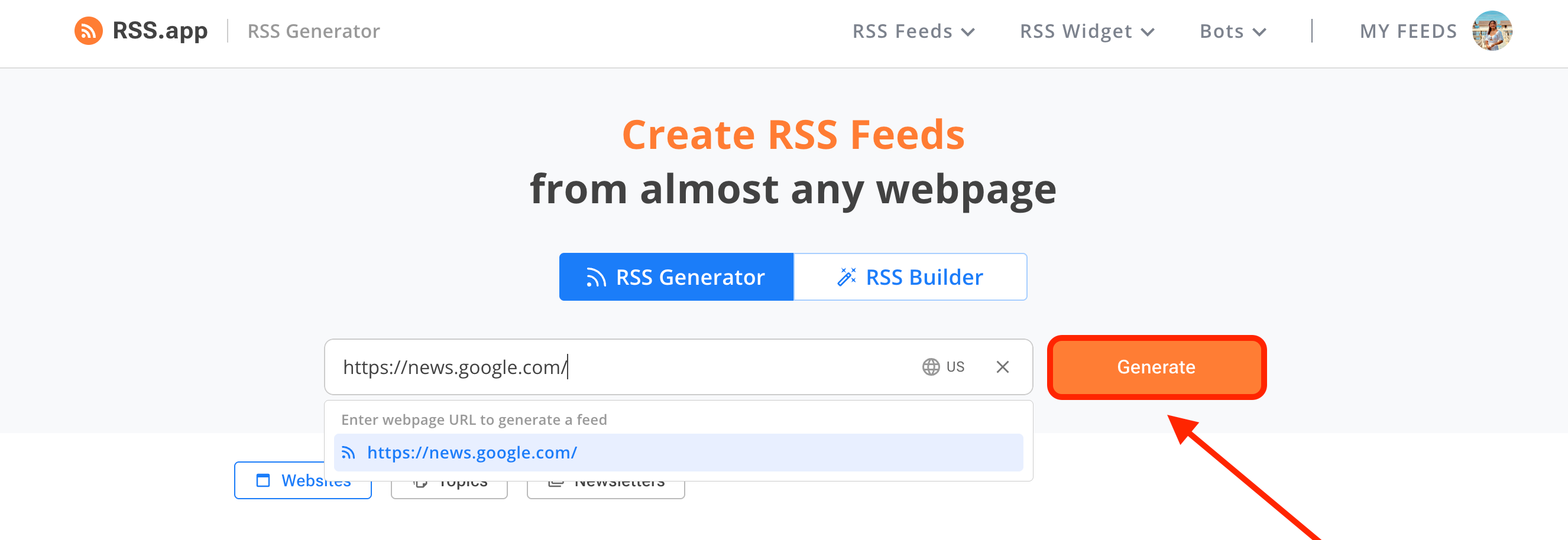
- Paste the URL of your site in the field provided. For this guide, we'll use Google News:
Step 2: Copy RSS Feed URL
- Click Generate:
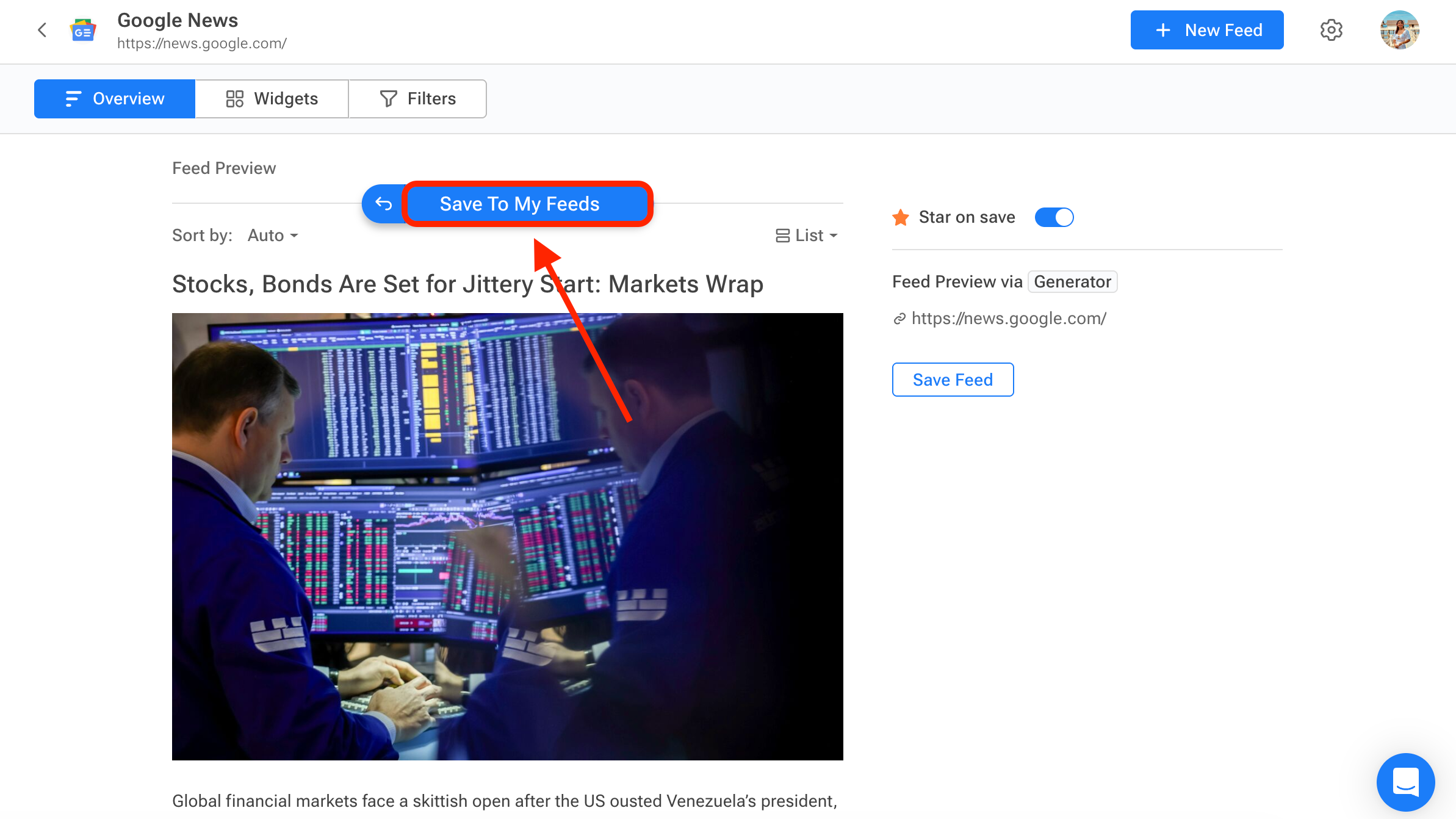
- You'll see a feed preview. Select Save To My Feeds:
- Click Copy:
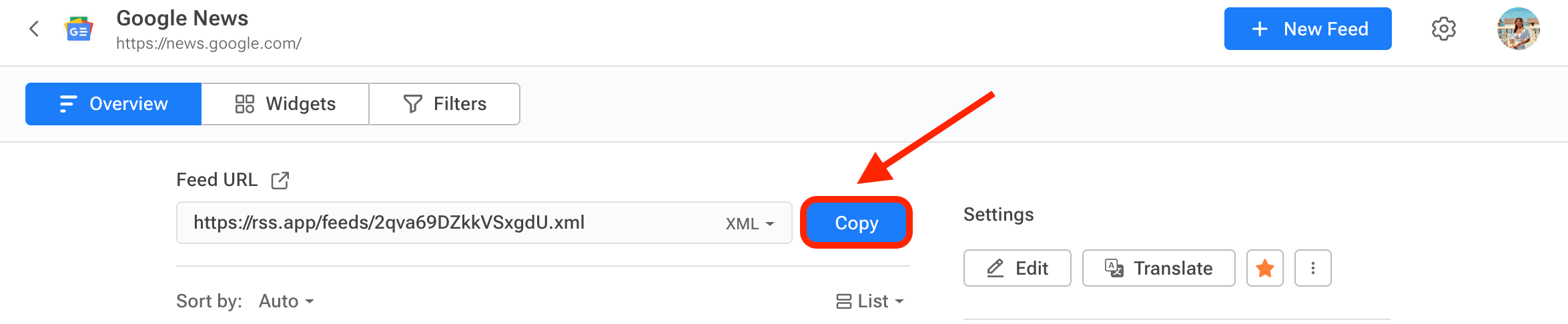
Congratulations! You now have the RSS Feed URL. You can now use this XML file to start adding custom RSS feeds to your SharePoint sites. To learn more about it, check out How to Display Your RSS Feed in SharePoint Using the RSS Feeds Connection.
Making the Most of RSS Feeds
RSS feeds might seem old-school in our app-saturated world, but that's exactly what makes them valuable. They're a mature, stable technology that puts you back in control of your online reading experience and helps you stay up to date with relevant content.
Want to make the best of your RSS Feeds? Start adding them to your SharePoint intranet! With it, you can create a curated reading experience for your audience. They won't have to leave your SharePoint intranet just to get the updates they need. To start adding custom RSS feeds to your SharePoint sites, use ShortPoint's RSS Feed connection type.
How? If you're already a ShortPoint Designer, you can check out How to Display Your RSS Feed in SharePoint Using the RSS Feeds Connection. If you aren't, you don't have to worry. You can start a FREE 15-day trial with ShortPoint or reach out to our experts. They'll be happy to show you all the ways you can level up your SharePoint pages using this connection and so much more.
Frequently Asked Questions
What is an RSS feed?
An RSS feed (Really Simple Syndication) is a standardized XML file that websites use to publish their latest content updates, such as blog posts, news articles, podcasts, or videos. It allows users to receive automatic updates in a feed reader without visiting each site individually.
How do I create an RSS feed URL?
You can create an RSS feed URL easily using RSS feed generators like RSS.app. Simply paste the URL of the webpage you want to track, generate the feed, and copy the RSS feed URL to use it in your applications or SharePoint sites.
Do I need coding skills to create or use an RSS feed?
No coding is required to create or use RSS feeds when using feed generator tools or platforms. These services handle the technical aspects, letting you generate and access feeds with simple steps.
Can I use RSS feeds with SharePoint?
Yes! Using ShortPoint's RSS Feed connection type, you can display RSS feeds directly on your SharePoint intranet pages, allowing your users to stay up to date without leaving the site.
Are RSS feeds secure?
RSS feeds themselves are simple XML files and do not pose inherent security risks. However, always subscribe to feeds from reputable sources to avoid compromised content.
What happens if a website stops updating its RSS feed?
If a website stops updating its RSS feed, your feed reader will no longer show new content from that source. You can visit the website directly to verify if the feed has been discontinued or is temporarily inactive.
Can I create an RSS feed from any webpage?
Yes, many RSS feed generators allow you to create feeds from almost any webpage, even if the site does not provide an RSS feed natively, by extracting and formatting the latest content updates.
How often do RSS feeds update?
RSS feeds update automatically whenever new content is published on the source website. The frequency depends on the website’s publishing schedule and how often your feed reader checks for updates.
Can I customize RSS feeds?
Many RSS feed generators provide customization options such as filtering content, extracting images, or combining multiple feeds into one, allowing you to tailor the feed to your needs.
Where can I use an RSS feed URL?
RSS feed URLs can be used in feed readers, websites, intranet platforms like SharePoint, podcast directories, and other applications that support syndication to stay informed with the latest content.
Related articles:
