Try ShortPoint now
Issue
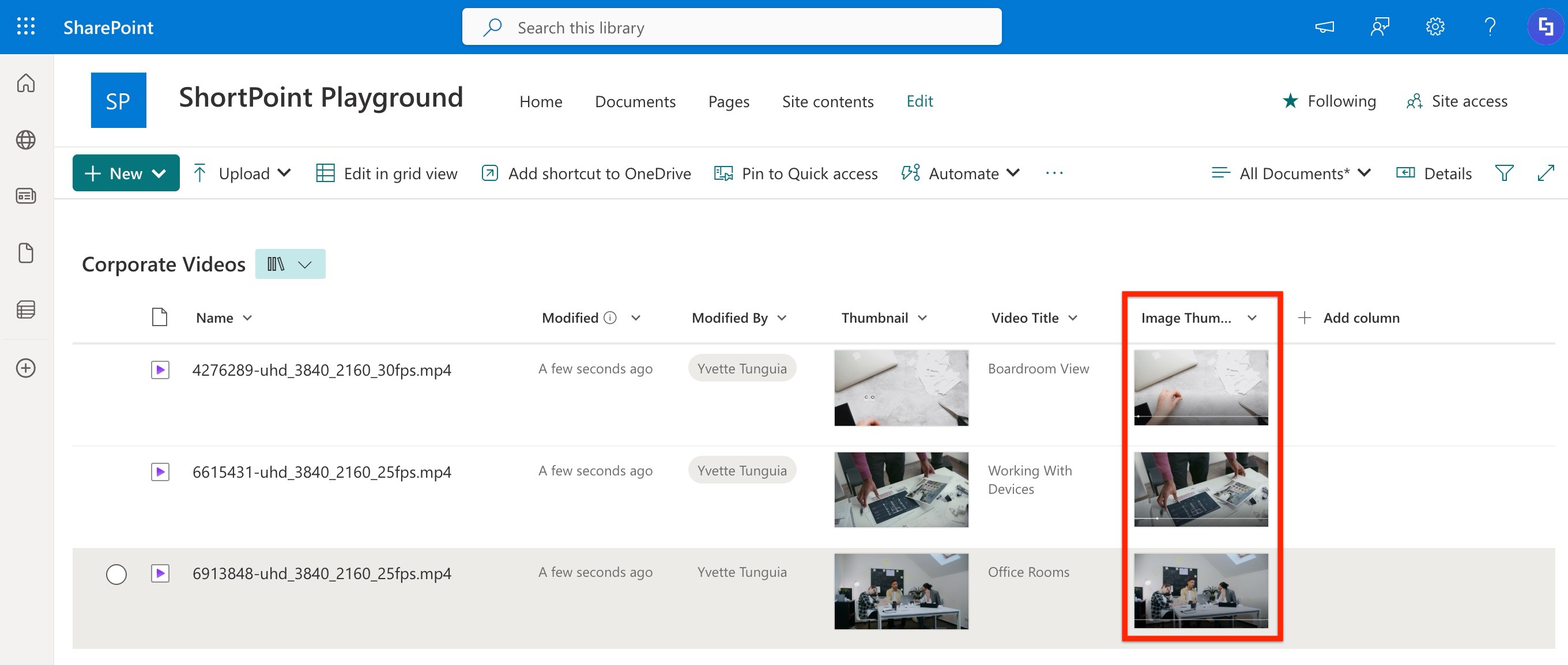
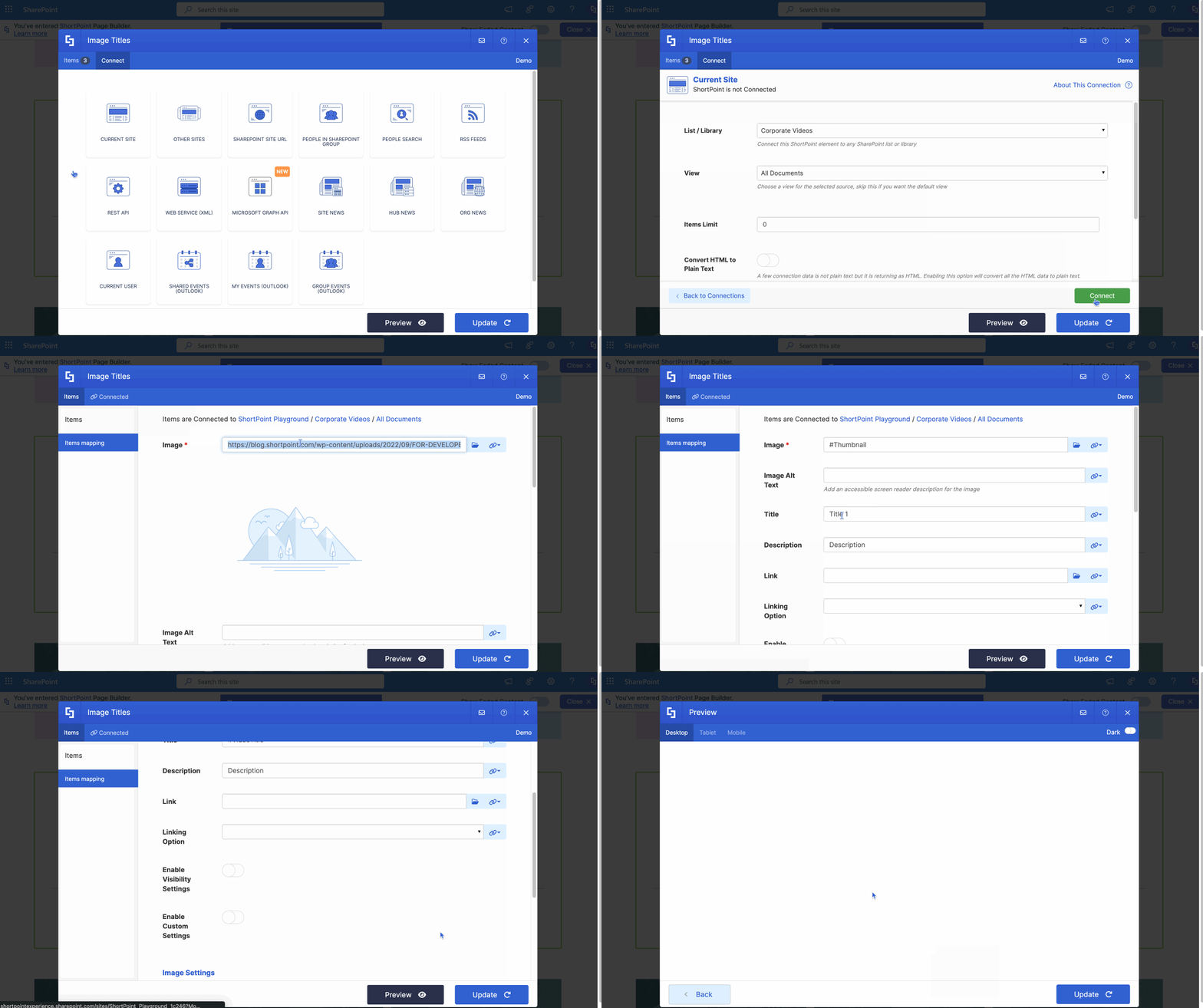
ShortPoint Design Elements connected to a SharePoint Library fail to retrieve image or video thumbnail images.
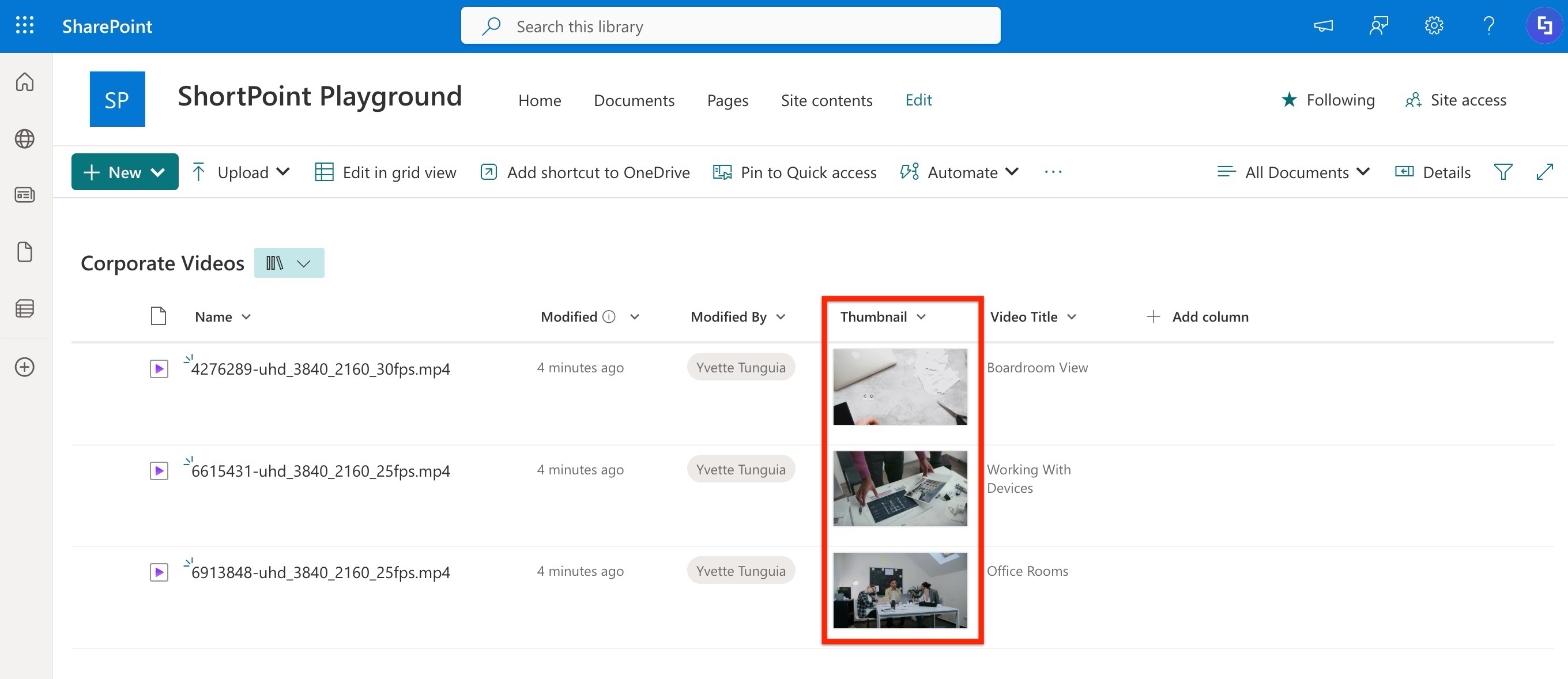
While the thumbnails are visible natively within SharePoint, they render as blank spaces when mapped to a Design Element.
Reason
The image or video thumbnails you want to retrieve may be system-generated previews, not actual image files stored in the column. When image or video files are uploaded and an Image column is created, specifically naming it as 'Thumbnail', SharePoint responds by automatically generating a visual preview of that file within the column.
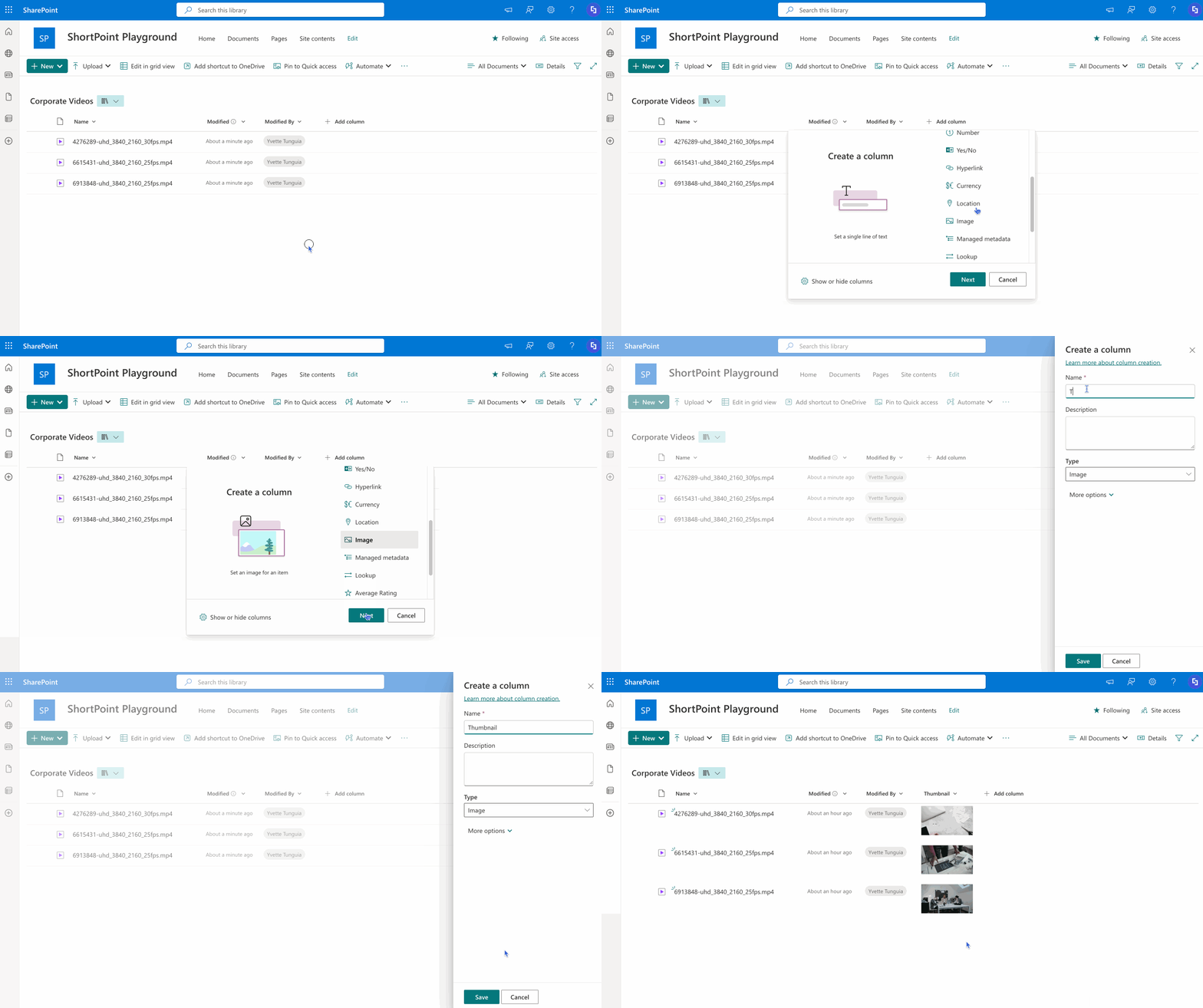
Because of this, when ShortPoint connects to the list, the "Thumbnail" column is technically empty, resulting in a blank display in the Design Element. This is a known limitation.
Workaround
For ShortPoint to successfully pull thumbnail data, we recommend creating either an Image type column and upload actual image files in it or a Hyperlink type column and pasting image links. Both methods will ensure the images render correctly in your connected Design Elements.