Try ShortPoint now
Good use of white space is key to building a clean, modern intranet. By giving your text, images, and content room to breathe, you create a seamless reading experience that prevents information overload.
To help you achieve this effortless layout, our latest release (SPFx version 9.4.4.0) gives you even better control over your spacing settings.
Here’s a quick overview of the new spacing features now available in ShortPoint.
TABLE OF CONTENTS
- Easy access to spacing presets
- Upgraded Hot Actions experience
- Expanded Column spacing options
- New Spacer Design Element
- Ready to Try the New Spacing Experience?
Easy access to spacing presets
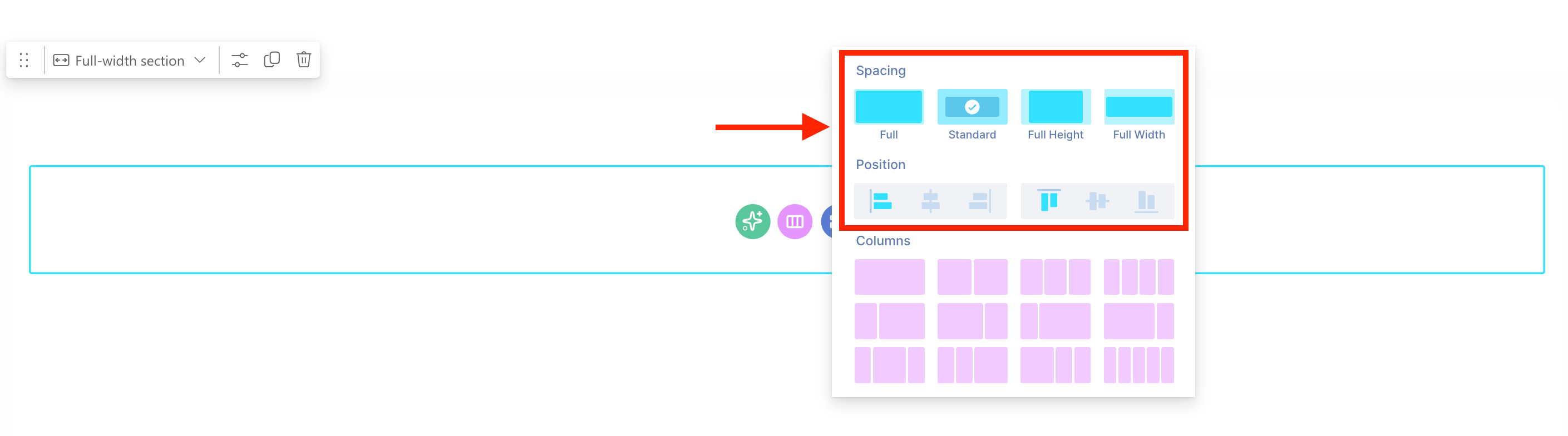
ShortPoint has always offered four spacing presets for designers. Previously, these presets were hidden within the settings window, making them difficult to access when designers needed to quickly apply standard spacing.
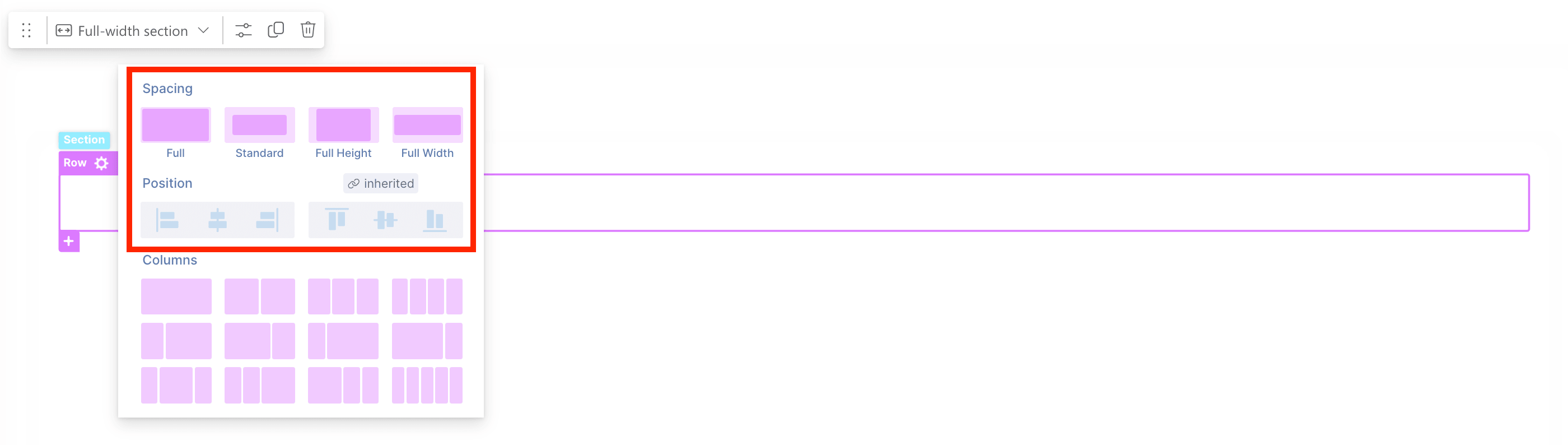
Now, you can immediately see the standard options when selecting layout options. Choose from Full, Standard, Full Height, or Full Width spacing presets. You can also specify your Rows and Columns' default horizontal and vertical alignment.
These presets are also accessible when adding a new Row:
Learn more about customizing Sections and Rows by checking out the articles below:
- Section Design Element: How to Add a SharePoint Section Layout
- Row Design Element: How to Add a Row in SharePoint
Upgraded Hot Actions experience
If you're using Hot Actions to adjust the padding and margins of Design Elements, you'll find we've added new features that significantly simplify the process.
When you select a spacing preset, you'll see a spacing icon appear as you hover over the highlighted areas.
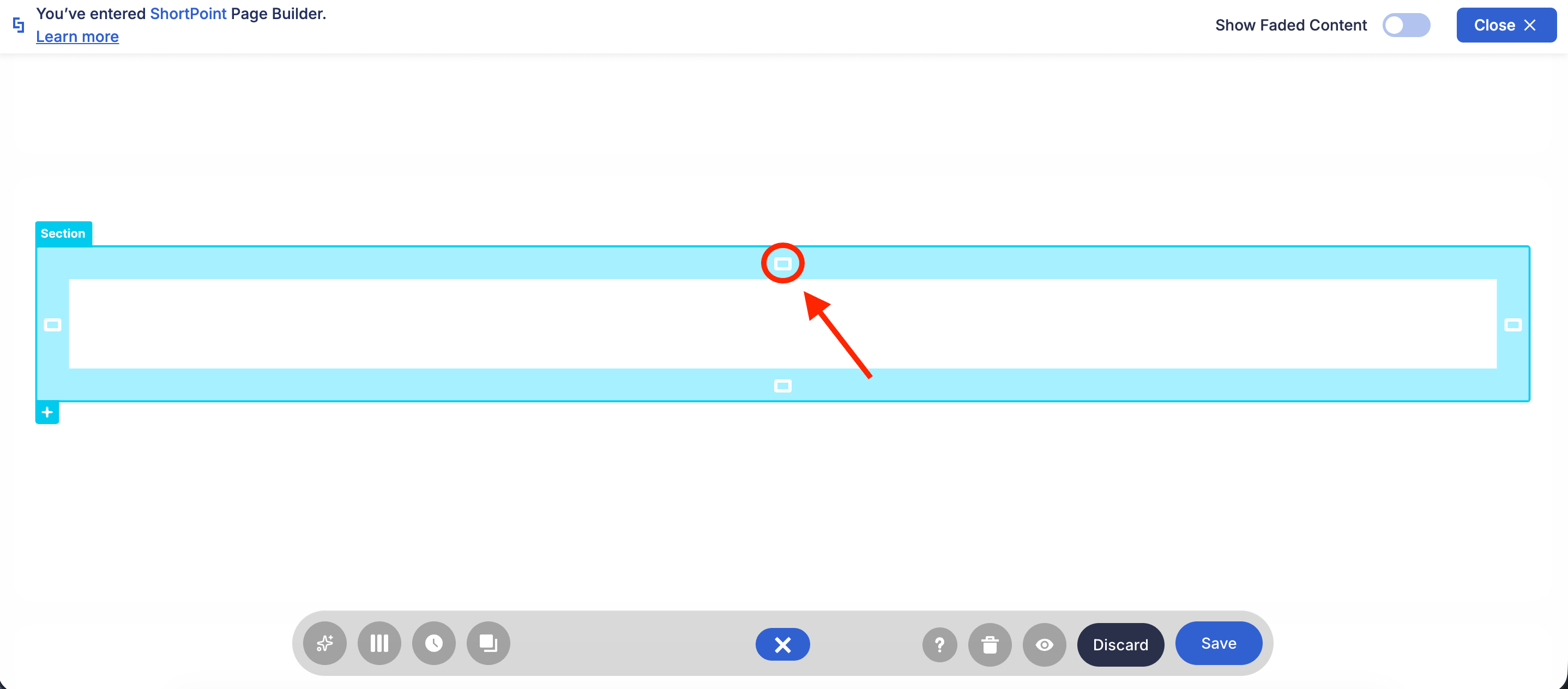
Clicking the spacing icon allows you to switch between different presets, giving you flexibility in adjusting your spacing.
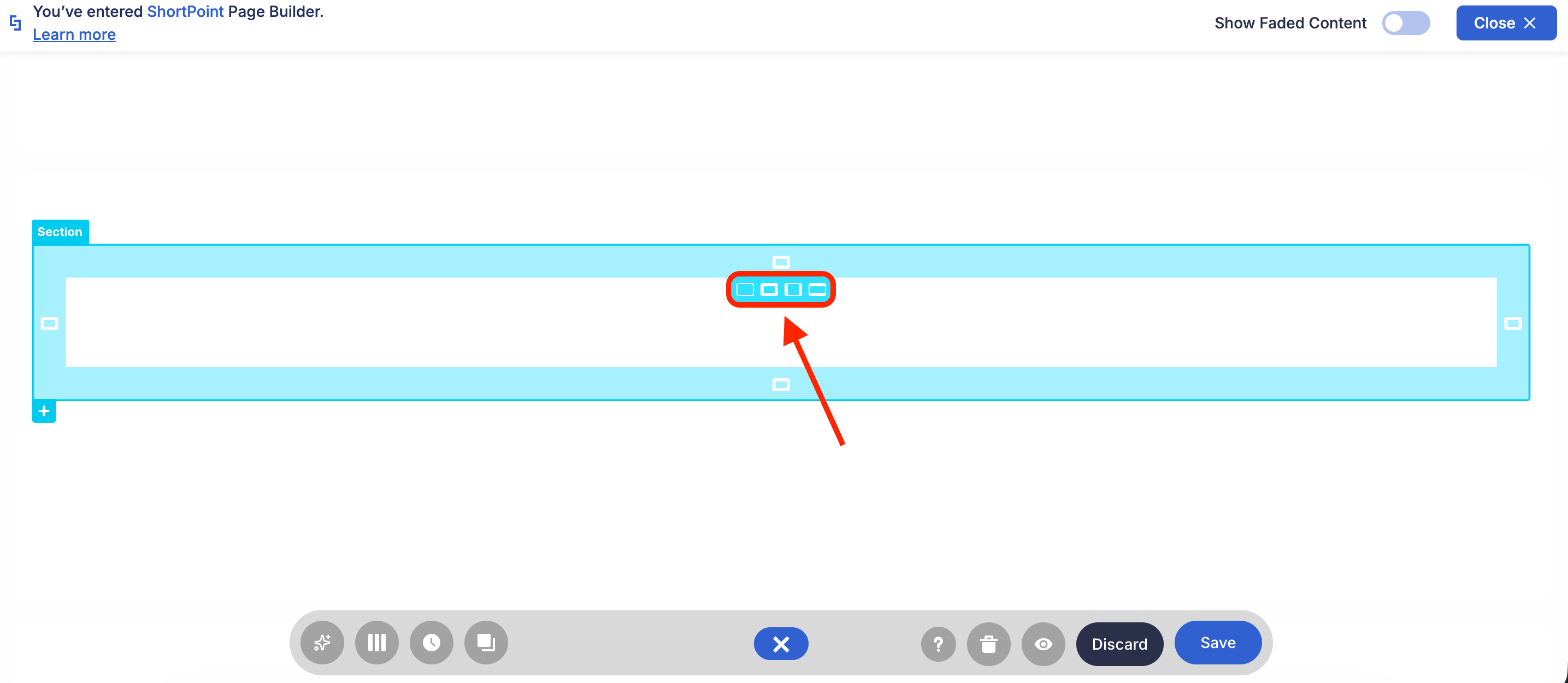
Like before, you can drag the handle to adjust the space as needed. What’s new is that it now allows you to directly enter a specific pixel value and easily revert to a preset at any time.
For more information on Hot Actions, check out ShortPoint Page Builder Live Mode Feature: Hot Actions.
Expanded Column spacing options
Managing spacing within and between columns also just got easier. When you open the Column settings window, you'll now find a full range of padding and margin customization options.
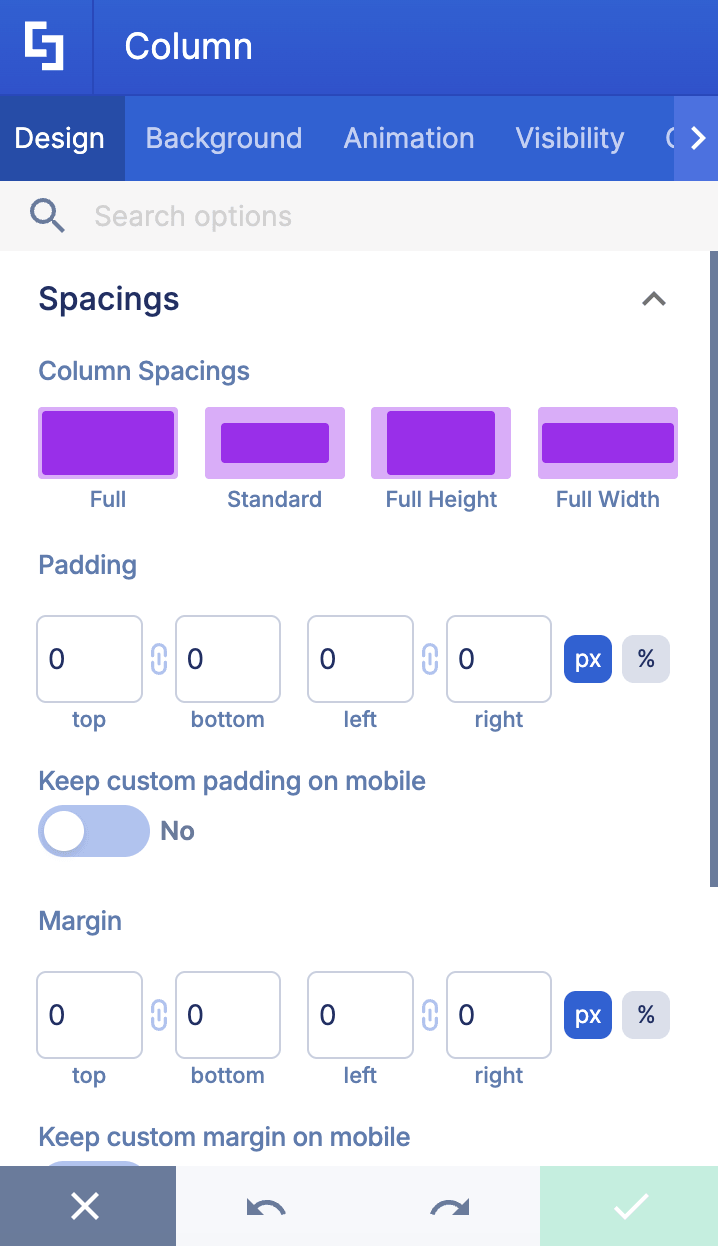
Additionally, you can adjust Column spacing using the Hot Actions feature:
For an in-depth guide on customizing Columns, check out Column Design Element: How to Add a Column in SharePoint.
New Spacer Design Element
Gone are the days when you have to use the Text Design Element to add space between Design Elements. Now, you can simply use the Spacer Design Element to insert blank spaces wherever needed. The best part? You can easily adjust its height to meet your specific requirements.
Learn more about the Spacer Design Element in Spacer Design Element: How to Add Space Between Design Elements.
Ready to Try the New Spacing Experience?
These improvements demonstrate ShortPoint's ongoing commitment to enhancing its offerings and evolving to remain the best SharePoint intranet designer. Why wait? Give these new features a try now! If you’re already a ShortPoint Designer, simply update your ShortPoint SPFx version to SPFx version X.X.X.X.
Not yet a designer? Give ShortPoint a try with a FREE 15-day trial. You can also reach out to our experts. They’ll be happy to give you a tour of everything ShortPoint has to offer.