 Try ShortPoint now
At ShortPoint, we believe that smart security isn't just about using the most advanced, complicated technology. Sometimes, it can be found in the simplest procedures. Our approach is called "Zero Trust," which simply means we verify everyone before granting access to our systems. Think of it this way: when you enter a secure building, you need to get your IDs and even your valuables checked before you can go in.
ShortPoint applies the same simple yet effective concept to keep data safe. Our security strategy rests on two key ideas: giving people only the access they truly need for their jobs (or what we call the "least-access principle"), and using an extra layer of protection like multi-factor authentication when logging in. This keeps your information confidential, accurate, and available when you need it.
We're committed to making sure access to our systems is properly controlled and protected from unauthorized use throughout the handling of ShortPoint’s internal operational data (license and usage information).
NOTEShortPoint does not access, store, or process customer content or data from your SharePoint environment. The data, content, and resources described in this article refer only to ShortPoint’s own internal corporate data and not customer SharePoint content.
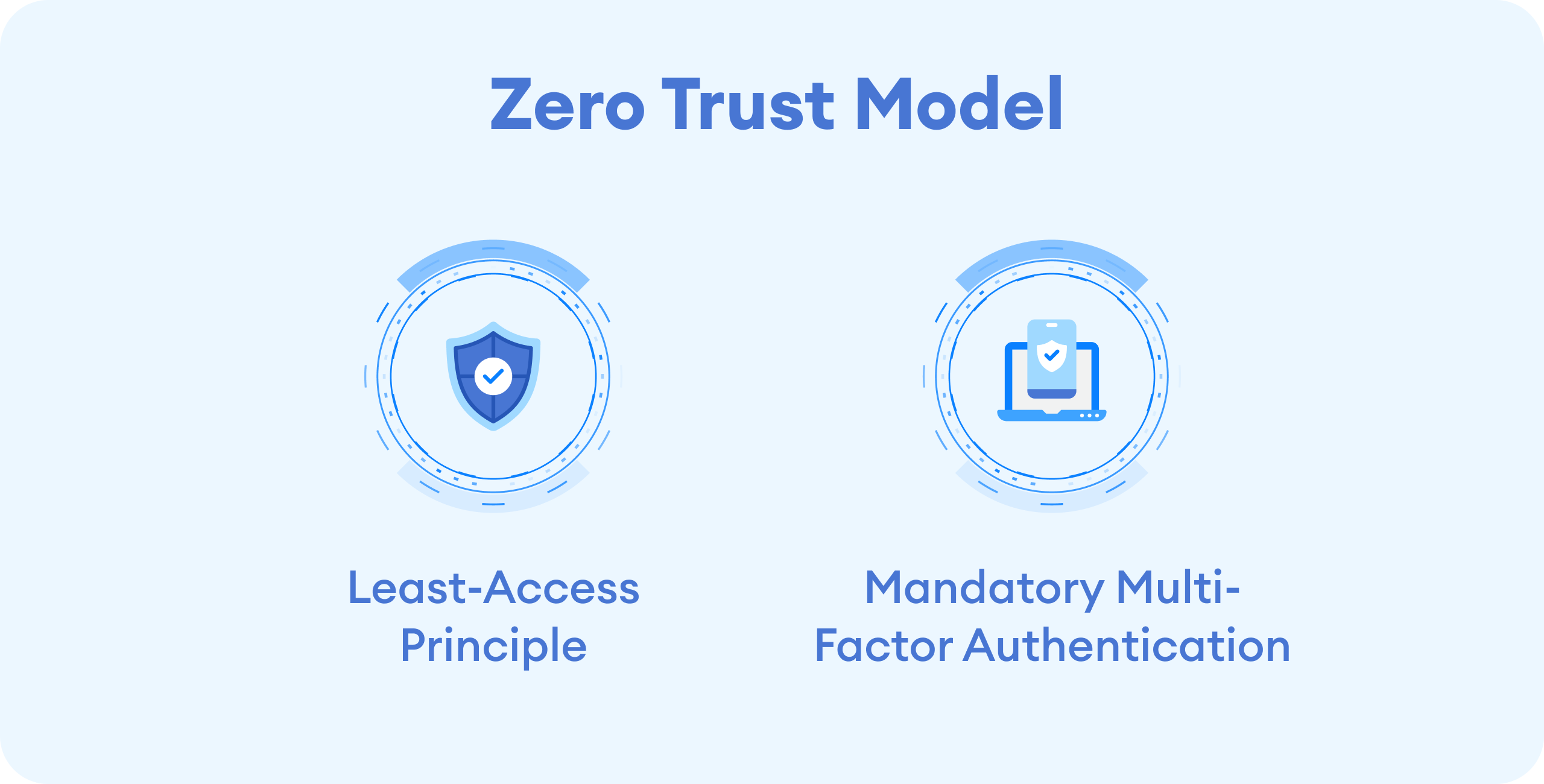
TABLE OF CONTENTS
- Least-Access Principle: Giving People Just the Right Amount of Access
- Double-Checking Your Identity with Multi-Factor Authentication
- Regularly Checking and Updating Access
- Smart Security at Your Service
- Frequently Asked Questions
- What is the Least-Access Principle, and why is it important for security?
- How does ShortPoint implement Multi-Factor Authentication (MFA) to protect data?
- How often is access reviewed and updated in ShortPoint?
- How does ShortPoint ensure password strength to protect data?
- What is the benefit of using role-based access control (RBAC) in ShortPoint?
- Why is it important to have individual logins rather than shared accounts?
- How does ShortPoint’s Zero Trust approach enhance security?
- What happens when a user leaves the company or changes roles?
Least-Access Principle: Giving People Just the Right Amount of Access
Remember the Least-access principle we mentioned earlier? Here's what it's all about: everyone at ShortPoint (full-time, part-time, contractors, or consultants) gets access to only what they need in order to do their jobs. Nothing more, nothing less.
This approach helps us enforce permissions carefully, ensuring that users interact only with content relevant to their role, which is essential for maintaining strong security and protecting sensitive data.
How We Organize Access
ShortPoint applies a role-based access control (RBAC) system. It simply means that access to a system or any kind of information is based on job roles. Here's how it works:
- Three Levels of Access: We organize access into straightforward categories: Administrator (full control), User (standard access), and No Access. It's that simple.
- Keeping Things Separate: In our most important systems, we set things up so that no single person has control over everything. This prevents mistakes and keeps sensitive information extra secure.
- Getting Permission: Access is tied directly to what you do at work. If someone needs access to a system, they need to request it formally and get approval from their manager. If they need more than the basics, they'll need to explain why.
- Special Access for Sensitive Areas: Access to critical infrastructure is limited to authorized staff who have a clear business reason to be there.
- Everyone Gets Their Own Login: Each person has their own unique username and password. We don't allow shared accounts, and we disable default system accounts for security reasons.
Keeping Passwords Strong
Passwords tend to be overlooked when it comes to security. Probably because we're so used to creating one. But it's a different story here at ShortPoint. We know it's the first line of defense in protecting your data, so we take it very seriously. We drill into our employees how important it is to keep their passwords strong and teach them to apply these best practices:
- Make Them Complex: Whenever possible, passwords should be at least 10 characters long and include a mix of uppercase letters, lowercase letters, and symbols.
- Keep Them Private: Passwords are confidential. And all our team members know not to share them with anyone. We also ensure that passwords stored within systems are protected using strong, one-way hashing algorithms.
Double-Checking Your Identity with Multi-Factor Authentication
If you have an online account, you've probably heard of Multi-Factor Authentication (MFA). It's basically a security process where you log in with your password and then confirm your identity with a second method. For example, a code sent to your phone or a series of protected numbers sent to an authenticator app.
At ShortPoint, we also apply the same process. This extra step makes it much harder for unauthorized people, including external users, to gain access and helps protect your data from potential breaches. Implementing MFA is a critical part of our conditional access policies designed to continuously monitor and secure user activity, ensuring that only authorized users can access sensitive content and resources.
Here's our policy on MFA:
- It's Required Everywhere Possible: If a system offers MFA, we turn it on. No exceptions.
- Essential for Remote and Sensitive Access: To access our core production systems remotely, you must use MFA. This ensures only authorized personnel can get in, even from outside the office.
- Secure Connections Only: When connecting to our systems remotely, you need to use encrypted connections along with strong authentication.
- All Remote Tools Protected: Any tools we use to access company systems from other locations require multi-factor authentication.
Regularly Checking and Updating Access
Security isn't a "set it and forget it" thing. We continuously review and update who has access to what, making sure everything stays aligned with our security principles and compliance requirements. This ongoing process includes monitoring and managing explicit permissions and ensuring that security groups are properly configured to govern sensitive data and access effectively.
Regular Reviews
We periodically review system access to ensure it's still appropriate:
- Checking Access Levels: Management regularly reviews whether each person's access matches their current job responsibilities.
- Making Corrections: If we find that someone has more access than they need, we adjust it to meet our security standards.
Managing Access Over Time
Access changes as people's roles change:
- Starting Out: When employees join ShortPoint or take on a new role, they get access based on what that position requires.
- Moving On: When someone leaves the company or their contract ends, we remove their access within 24 hours. We also disable accounts that haven't been used in 30 days.
- Staying Current: Managers regularly review user privileges, and our administrators quickly remove access that's no longer needed.
Smart Security at Your Service
Security doesn't always have to be complicated and confusing. The smartest security policies can shine through the simplest of processes. ShortPoint's Zero Trust approach keeps it simple. We're making sure the right people have the right access at the right time, and we're double-checking to make sure it's really them. By carefully managing explicit permissions, we ensure that only authorized users can gain access to sensitive content and resources. It's about safeguarding data while making sure everyone can do their jobs effectively, all within a secure and compliant framework.
Frequently Asked Questions
What is the Least-Access Principle, and why is it important for security?
The Least-Access Principle means giving users only the access they truly need to perform their jobs. This approach helps enforce permissions carefully, ensuring users interact only with relevant content, which is crucial for maintaining strong security and protecting sensitive data.
How does ShortPoint implement Multi-Factor Authentication (MFA) to protect data?
ShortPoint requires Multi-Factor Authentication (MFA) wherever possible, especially for remote access to core systems. MFA adds an extra layer of security by requiring users to confirm their identity with a second method, such as a code sent to a phone or an authenticator app, thus preventing unauthorized access by external users.
How often is access reviewed and updated in ShortPoint?
Access is regularly reviewed and updated to ensure it aligns with job roles and security policies. Management checks access levels periodically, and administrators promptly remove or adjust explicit permissions when no longer needed.
How does ShortPoint ensure password strength to protect data?
ShortPoint enforces strong password policies, encouraging complex passwords with a mix of uppercase, lowercase, numbers, and symbols. Passwords are kept private and securely stored using strong hashing algorithms to protect against unauthorized access.
What is the benefit of using role-based access control (RBAC) in ShortPoint?
RBAC assigns access based on job roles, streamlining the management of permissions. It helps ensure that users only have access to the content necessary for their role, reducing the risk of accidental or malicious data exposure.
Why is it important to have individual logins rather than shared accounts?
Individual logins ensure accountability and make it easier to monitor user activity and enforce conditional access policies. Shared accounts can create security gaps and make it difficult to track who accessed or modified data.
How does ShortPoint’s Zero Trust approach enhance security?
ShortPoint’s Zero Trust approach verifies every user before granting access, enforcing the least-access principle, and requiring multi-factor authentication. This layered security model helps protect data and sensitive content from unauthorized access throughout the entire lifecycle.
What happens when a user leaves the company or changes roles?
When users leave or change roles, their access is removed within 24 hours or updated to reflect their new responsibilities. Accounts inactive for 30 days are disabled to prevent unauthorized access, ensuring the ongoing protection of data.
Related articles:
- How ShortPoint Classifies and Encrypts Data
- Continuous Defense: ShortPoint’s Program for Proactive Data Security
- Security by Design: How ShortPoint Protects Data
- Security in Software Development Life Cycle: How ShortPoint Keeps the Development Lifecycle Safe and Secure
- Organizational Resilience: How ShortPoint Ensures Business Continuity
- Creating a Company Culture for Security: How ShortPoint Builds a Culture of Compliance
- SOC Compliance: How ShortPoint is Committed to Validating its Security Measures
- Privacy by Design: How ShortPoint Complies with the General Data Protection Regulation
